
A soundbar does not usually need WiFi for ordinary TV audio. A compatible HDMI ARC or eARC connection, optical cable or Bluetooth link carries sound locally. Check first-time setup separately: some smart soundbars require an app before they will play TV audio, even when you plan to use a cable.
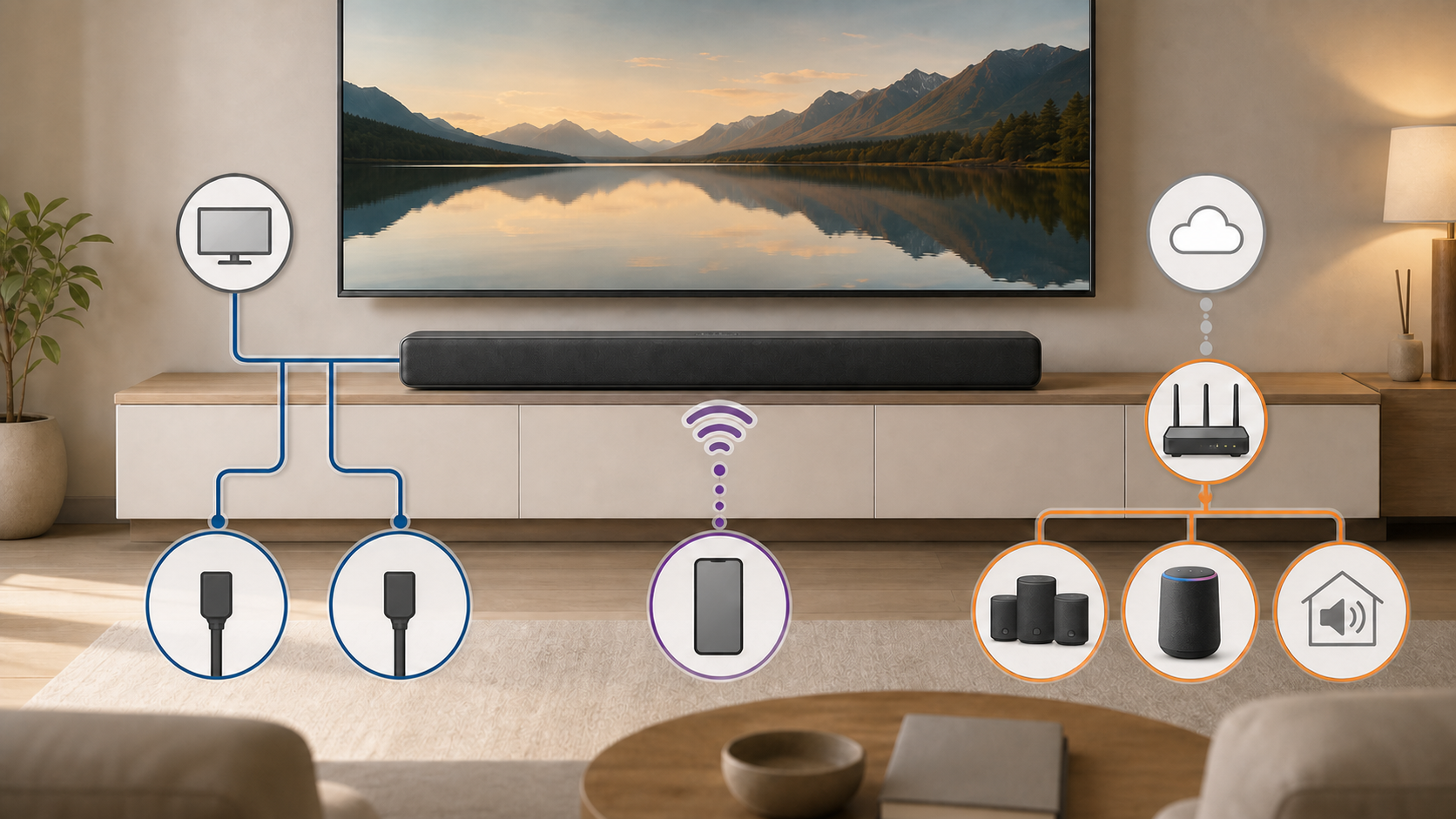
If you only want TV dialogue through a larger speaker, start with the ports on the TV and soundbar. If you want music streaming, app control or speakers in other rooms, check those features individually. WiFi, internet access and a wireless subwoofer connection are not the same requirement.
What works without WiFi
Local TV audio can work with no home network when both devices share a compatible connection. The main options are HDMI ARC or eARC, optical audio and Bluetooth. Some soundbars also have an analog input or a regular HDMI input for a source device.
| Connection | Does the audio link need home WiFi? | What to check |
|---|---|---|
| HDMI ARC or eARC | No | Matching return-channel ports, TV audio output and model setup requirements |
| Optical | No | TV optical output, soundbar optical input and supported formats |
| Bluetooth | No | Both devices support Bluetooth audio and the speaker is selected as output |
| WiFi TV audio or network streaming | Yes, for that WiFi mode | Exact TV and soundbar compatibility; internet needs of the content or service |
Both the TV and the soundbar still need power. A streaming show also needs whatever connection the TV, streaming stick or source device uses to get the show. The soundbar’s local audio link and the source’s internet connection are separate things.
For a concrete example, Samsung’s Australian HW-R550/XY specification sheet lists HDMI, optical and Bluetooth, but no WiFi. It is a 2019 model, used here to show that WiFi is not inherent to a soundbar, not as a current buying recommendation.
Check app setup before assuming a cable is enough
A cable port does not prove that a new soundbar works straight out of the box without an app. Sonos says Beam must complete setup in the Sonos app before it can play TV audio. That setup includes creating or signing in to a Sonos account. This is a Beam-specific requirement, not a rule for every brand.
Before buying for a home with no internet, ask the manufacturer whether the exact model needs an online account, a supported phone, network access or a software update at first use. Also ask what happens after a factory reset. An already-configured unit working during a temporary outage does not establish that a new or reset unit can finish setup offline.
HDMI ARC and eARC are usually the first ports to check
Look for the TV port labeled ARC or eARC and the soundbar port labeled for the TV connection. Follow both manuals when connecting them, including any power-off instructions. Select the matching TV-audio mode on the soundbar and external audio output on the TV. The mode might be called TV ARC, D.IN. or something else; it is not always the ordinary HDMI input mode.
Samsung’s Canadian HDMI ARC guide shows the TV and soundbar return-channel ports and model-specific settings. HDMI-CEC can allow TV-remote control on compatible devices. Check your own manual rather than copying another model’s button sequence.
HDMI’s eARC overview explains how TV audio reaches a soundbar through one HDMI cable, including supported high-bitrate audio formats. That is a capability of the connection standard, not a promise that every TV, soundbar or source supports every format. Check the actual device specifications and recommended cable.
Optical is a simple offline option
Optical audio is an alternative when the TV lacks ARC or when you prefer a separate audio cable. Remove any protective caps, align the connector without forcing it, and follow the manuals to connect the TV’s optical output to the soundbar’s optical input. Select optical as the soundbar source and the TV’s audio output. Some soundbars use a model-specific optical adapter instead of a built-in optical socket.
Optical does not need WiFi, but it may not support every advanced format or every TV-control feature. Volume control behavior also varies. If a specific surround format matters, check the supported-format table in both manuals before choosing the cable.
Bluetooth is wireless, but it is not WiFi
A Bluetooth soundbar can pair directly with a compatible TV, phone or tablet. No router is required for that short-range link. Music stored on the phone can therefore play without internet. A music service on the phone still needs mobile data or WiFi unless the track was downloaded for offline use.
Check that the TV can send Bluetooth audio, rather than just connect a remote or keyboard. Pair the soundbar using its own documented steps and select it in the TV’s sound-output menu. If lips and dialogue do not match, compare the supported cable connection before buying network equipment. Bluetooth compatibility, delay and audio formats depend on the devices. The broader Bluetooth speaker offline-use guide explains why a direct audio link and online music access are separate.
What WiFi adds to a soundbar
Depending on the model, WiFi can support music streaming, app features, multiroom groups, updates or wireless TV audio. As one specific example, JBL lists Chromecast, AirPlay, multiroom playback and automatic updates for the Bar 9.1’s WiFi connection. That list does not apply to all JBL models or all soundbars.
- Check whether the soundbar streams music itself or only receives audio playing on a phone.
- Find out which input, equalizer, setup or calibration controls require the app.
- Read the compatibility list before adding speakers for other rooms.
- Distinguish local controls from online voice or account services.
- Use only the maker’s supported update method; some models offer a USB method, while others use the network.
These features are model-specific. A soundbar advertised as wireless may only mean that the TV audio link, subwoofer link or rear-speaker link is wireless. The soundbar and any powered speakers still need electrical outlets.
Will a WiFi soundbar work during an internet outage?
TV audio over HDMI ARC or optical may continue during an internet outage because that path is local, provided the system is already configured and the TV still has something to play. Bluetooth audio from downloaded files may also continue. Features that need a remote server cannot complete that online task while internet access is unavailable. Do not assume every voice or app control is cloud based.
A home network can also remain active while the internet is down. Some local controls or device groups may still work, while cloud controls do not. Exact behavior depends on whether the soundbar and app were designed to communicate locally.
Do the subwoofer and rear speakers need WiFi?
Many soundbar packages use a private wireless link between the main bar and the included subwoofer or rear-speaker receiver. That link may not use your router at all. Other systems put each speaker on the home network. The word wireless does not identify which design is used.
Check whether the speakers pair directly with the bar, require a network app or need a separate hub. Also count power outlets. Wireless audio removes a signal cable, not the electrical requirement for a powered subwoofer or receiver.
Can you use a soundbar with a hotspot?
Do not buy on the assumption that a phone hotspot replaces the home network. Check whether the manufacturer supports it for that model and setup app. If it does, use a hotspot you control, check the mobile-data allowance and follow the documented setup. The phone providing the hotspot may not also work as the controller; some setups need a second supported device on the same local network.
Do not assume a hotel, dorm or public network will work. Networks that require a browser sign-in, isolate devices or block local discovery can prevent setup. A soundbar intended for a permanent living-room network is not necessarily designed for travel WiFi.
How much home-network coverage does it need?
If you plan to use WiFi features, test them at the TV cabinet before buying an extender. Try the actual app, stream or group function you want. A phone speed test nearby is only a rough comparison: the phone and soundbar can have different radios and network support. If you only need local HDMI or optical audio, weak WiFi is not by itself a reason to replace the router.
If the signal is weak only in the entertainment area, moving the router into the open may help. For a larger coverage problem, compare a mesh system with a WiFi extender. If the router is old or lacks the controls your devices need, use our guide to decide whether you need a new router.
A quick buying checklist
- Does the TV have ARC, eARC, optical output or compatible Bluetooth?
- Which audio formats do both devices support on the connection you will use?
- Can the soundbar complete initial setup without home internet, including after a reset?
- Which app, account and phone requirements apply?
- Which features stop during an internet outage, and which only need the local network?
- If you need WiFi, does the model support your network’s band and security settings?
- Do the subwoofer and rear speakers pair directly or join the router, and where will they get power?
- What update methods and return conditions apply to this exact model?
Choose the connection before the smart features
For TV sound without home WiFi, look for the right local connection and a setup process you can complete. If a model requires an online account or app activation, that requirement matters even when the cable itself carries audio locally. Confirm both before ordering, then check the optional smart features separately.
Sources and method
This is a connection and setup guide based on the official references linked above, checked in October 2026. It is not a listening test or a ranking of current soundbars. The Samsung examples refer to UK and Canadian support material and one older Australian model specification; Sonos and JBL examples have their stated model scope. Port labels, setup apps and supported features can differ by model and market.