
Bluetooth speakers do not need WiFi for the Bluetooth audio connection. A nearby phone, tablet or computer sends sound directly to the speaker. The source still needs internet for online music, while downloaded audio can play offline if the app permits it. Before buying, check whether that speaker needs an initial WiFi setup and which smart or two-speaker features work away from home.
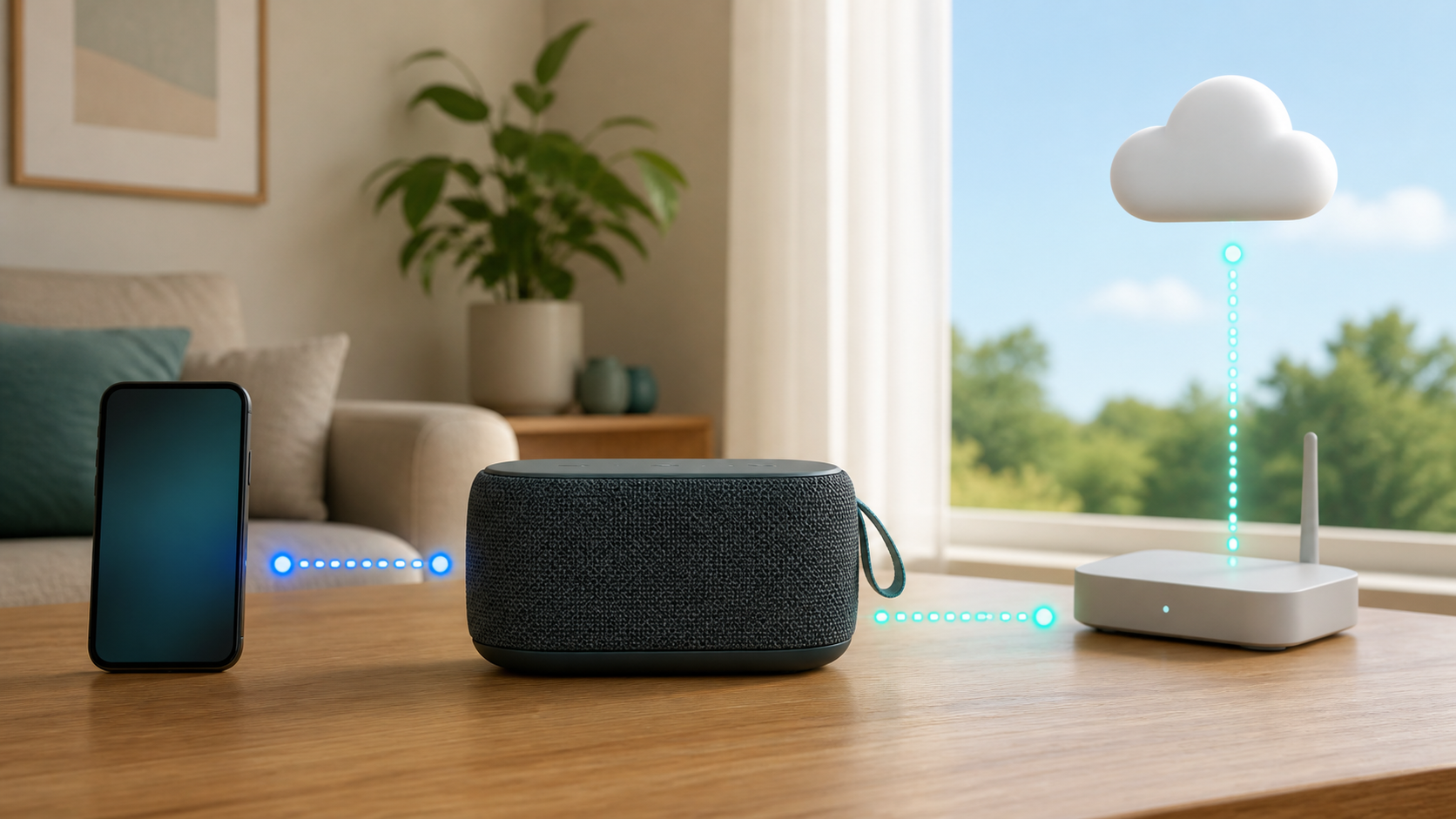
Bluetooth, WiFi and internet are three different links
Bluetooth is a short-range radio link between nearby devices. WiFi normally connects devices through a home network. Internet service carries online music, podcasts, radio and account requests beyond the home. A speaker may use one, two or all three, depending on its design and the way you start playback.
| Playback method | Needs WiFi? | Needs internet? |
|---|---|---|
| Downloaded song on phone to Bluetooth speaker | Not for the audio link | Not during playback if the app allows offline listening |
| Streaming app on phone to Bluetooth speaker | Not for the speaker link | Yes for the online stream, through WiFi or mobile data |
| WiFi speaker playing from a cloud service | Yes for its WiFi connection | Yes for the cloud service |
| Supported aux input from a local player | No for the cable connection | Depends on the source; confirm the speaker actually has an audio input |
| Two speakers or a multiroom group | Depends on the exact product and grouping mode | Depends on the source and system |
What works without WiFi
A Bluetooth speaker can play supported audio already stored on a nearby phone, tablet or computer. That may include downloaded music, a local podcast file, an audiobook chapter saved for offline use, a voice memo or audio from a video stored on the device. You still need a charged speaker, successful pairing and an app that can play the saved content without a fresh online check.
Google’s Android Bluetooth pairing instructions describe the direct phone-to-accessory connection. If the speaker supports manual Bluetooth pairing, put it in the mode described in its manual and select it in the phone’s Bluetooth settings. Do not confuse a manufacturer’s WiFi setup screen with the phone’s Bluetooth menu.
Why online music may stop anyway
The Bluetooth link can be healthy while the music app has no song to send. If the phone is streaming from an online service, it still needs internet through home WiFi or mobile data. Turn off WiFi and mobile data together, and an undownloaded album will usually stop even though the speaker remains connected.
Download rules vary by app, account and subscription. A track that looked available yesterday may still require an account check or may not have completed its download. For example, Spotify’s offline instructions distinguish Premium music downloads from free podcast downloads and require an online connection at least once every 30 days to keep downloads. Test your actual playlist before travel rather than relying on the speaker’s connection light.
A Bluetooth speaker may also have WiFi
Some portable and home speakers support both Bluetooth and WiFi. Bose’s Portable Smart Speaker FAQ says that model can play through a phone’s Bluetooth settings without WiFi, while its voice control, AirPlay 2, Bose app control and multi-speaker grouping require WiFi. That feature list describes the named model, not every Bose or Bluetooth speaker.
Do not assume that the word wireless identifies the connection. A wireless speaker can be Bluetooth-only, WiFi-only or a combination model. Read the connection section of the product manual and specifications. Look for Bluetooth audio, WiFi, AirPlay, Cast, aux input and USB playback as separate features.
Check setup and two-speaker modes separately
Ask whether Bluetooth works before any app or WiFi setup, especially if you plan to open the box at a campsite. Sonos says Roam 2 can play Bluetooth audio straight out of the box; joining WiFi and grouping it with a Sonos system require app setup. Check the exact generation, not a similarly named speaker or an old review.
Playing through one unit does not prove a pair will work offline. The Roam 2 Bluetooth guide says its stereo pair needs WiFi and that stereo pairing is unavailable away from WiFi. Other speaker systems have different grouping rules. Before buying two, confirm the supported models, whether they need a local network, and whether the intended mode works without internet.
Check physical inputs too. A USB charging socket is not proof of USB audio or file playback. The Bose Portable Smart Speaker FAQ specifically says it has neither an aux input nor auxiliary audio through USB-C. If a cable fallback matters, find an explicit audio-input specification before buying an adapter.
Bluetooth speaker versus WiFi speaker
A Bluetooth audio connection is useful when you want one nearby phone to supply the sound, including away from a router. The phone stays involved in playback, and moving it too far away can interrupt the audio. For travel, confirm battery operation and first-time setup rather than assuming that every Bluetooth-capable home speaker is portable.
A WiFi speaker is usually designed around the home network. It may keep playing a cloud stream after the phone becomes only a controller, and it can coordinate rooms through the network. That setup can be convenient at home, but it depends more heavily on the router, account, supported services and continued software support.
Does a Bluetooth speaker use mobile data?
Bluetooth itself does not consume your cellular data allowance. The app on the phone may. If it downloads an online stream over 4G or 5G and sends the resulting audio to the speaker over Bluetooth, the mobile network carries the internet portion. Check the phone’s per-app data screen instead of blaming the Bluetooth connection.
To avoid surprise use, download media over trusted WiFi, confirm that the download has finished and disable cellular access for the streaming app during a test. Do not assume that a play button beside a title proves the entire file is stored locally.
Can you use one at a campsite or beach?
Yes, if the speaker supports independent battery operation and the phone has playable local audio. A router is unnecessary for that simple path after any required setup. Check the speaker’s water and dust rating rather than relying on its outdoor appearance, and follow its manual’s charging and moisture warnings.
Downloaded media is the safer plan where mobile coverage is weak. Test the exact playlist, podcast or audiobook before leaving. The speaker can work perfectly while an app refuses to fetch a title that was never downloaded.
What happens during a home internet outage?
If the speaker and phone use Bluetooth, playable local audio can continue without the router. Online streams need another working internet connection, which may be chargeable mobile data. A WiFi speaker can lose cloud music during a provider outage even if the home WiFi still works. Local control or local sources may behave differently, so do not treat a provider outage and a powered-off router as the same test.
If your dual-mode speaker supports a Bluetooth fallback, select it using the product’s documented controls and play a downloaded file from the phone. Bose describes this manual switch for the Portable Smart Speaker when WiFi playback stops outside network range. If WiFi audio fails often when the internet is healthy, the router replacement decision guide helps separate a speaker problem from a whole-home network problem.
How to pair without exposing your home network
Put the speaker in its documented Bluetooth pairing mode and open the Bluetooth menu on the source device. Choose the speaker name shown in the manual or on its label. Do not enter your home WiFi password into an unrelated pairing prompt. Basic Bluetooth pairing normally does not need it.
In a shared place, leave pairing mode after your device connects. Remove old devices you no longer recognize and use any documented pairing lock or reset process before giving the speaker away. A factory reset can erase saved networks and groups, so reserve it for ownership transfer or a confirmed connection problem.
Range and walls still matter
Distance and obstructions can affect the Bluetooth link. Keep the phone and speaker close for the first comparison, using the same downloaded audio. If playback becomes reliable nearby and breaks up farther away, investigate placement and the product’s documented range before changing the home router. That result does not prove that every smart feature works offline.
WiFi coverage follows a different path through the router. If a combination speaker streams reliably beside the router but not in its normal room, improve the home-network path. Compare access-point placement before buying an extender. The mesh WiFi versus extender guide explains the tradeoffs.
Questions to ask before buying
- Will you mostly play audio from one nearby phone?
- Do you need downloaded music to work away from internet service?
- Does the speaker support Bluetooth audio, not just Bluetooth setup?
- Do you want voice control or direct cloud streaming?
- Will it join a multiroom or stereo group?
- Does it have aux or USB playback as another offline option?
- Can its app and required account still be supported for the expected ownership period?
- Is the battery replaceable or serviceable, and what charging method does it use?
Test the exact playback mode before leaving home
- Choose a safe time when you do not need phone calls or navigation. Complete any speaker setup and download an item in an app with offline support.
- Pair the phone and speaker through Bluetooth, then confirm that this is the active audio output.
- Turn on airplane mode and re-enable Bluetooth if needed. Keep WiFi off: some phones remember that you left WiFi enabled in airplane mode.
- Play the downloaded item and lock the phone screen.
- Try pause and volume. If you need two speakers, test that exact supported pairing or group away from WiFi too.
- Check playback at the places you actually intend to use it, then restore your normal phone connections.
If one speaker plays downloaded music but a voice command or speaker group fails, check that feature’s network requirements before returning the speaker or replacing the router. If downloaded music also fails, check the selected audio output, pairing, charge and the app’s offline permissions. A successful test confirms the current setup, not permanent access to a subscription download.
The product examples above use official English-language documentation available on October 21, 2026, including Bose’s US FAQ and Sonos support guides. This is a connection and buying checklist, not a hands-on sound-quality, battery or range review. Features can differ by model, software, service and country.