
Fiber vs cable internet is usually an easy choice when true fiber to the home is available at a similar total price: pick fiber for faster uploads and a connection with more room to grow. Cable is still a sensible choice when it costs much less, has better local availability, or already gives your household enough speed.
Do not decide from the advertised download number alone. Check the plan at your address, especially its typical upload speed, typical latency, price after any introductory period, equipment fee, data allowance, and installation terms.
If fixed wireless is available too, compare fiber and 5G Home Internet for reliability before choosing the easiest installation. Gateway placement and evening network use add variables that a wired fiber line does not have.
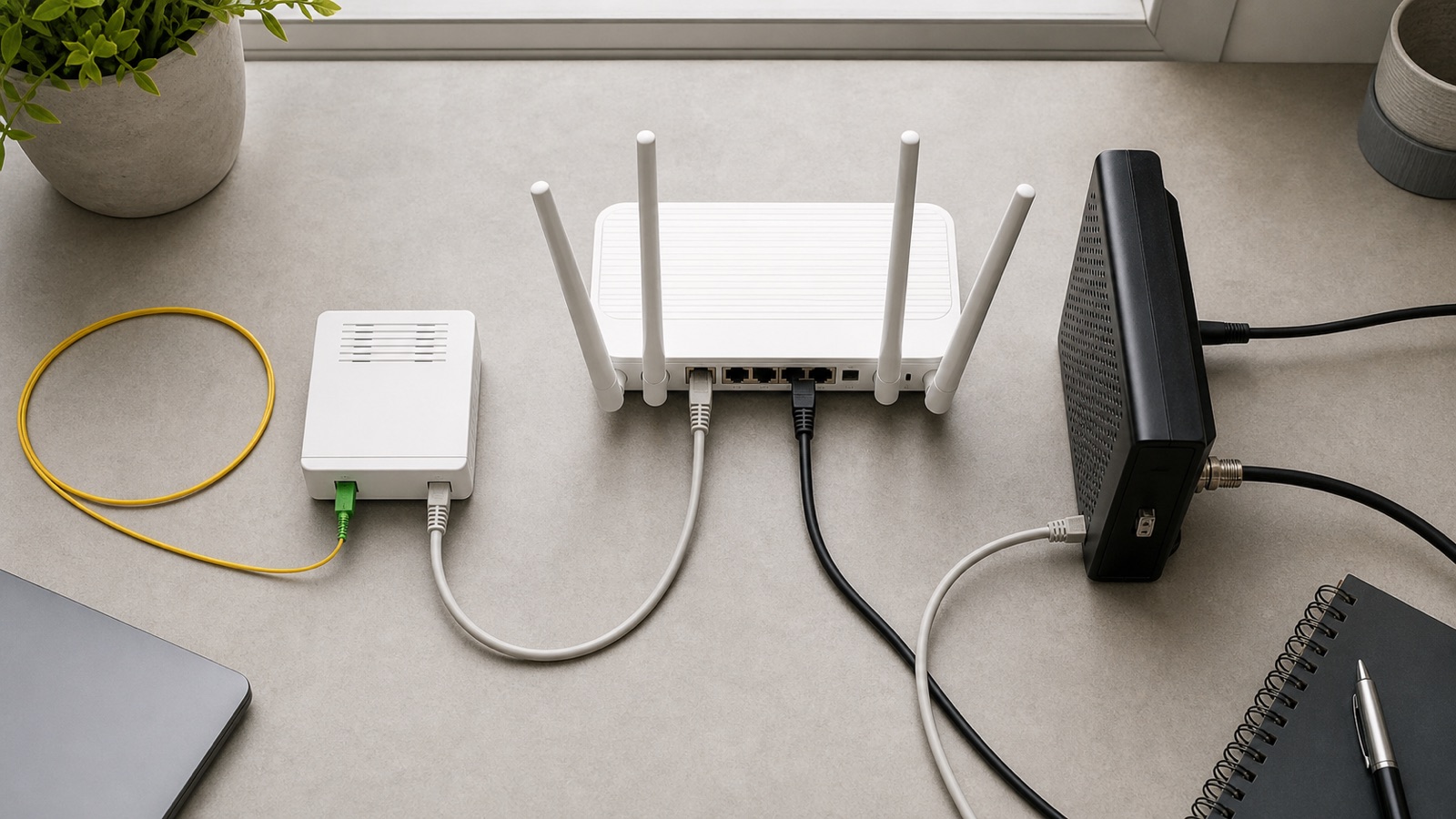
Research note: This is a research-based comparison using current official network documentation and consumer broadband labels checked on July 26, 2026. We did not run side-by-side fiber and cable services at one address. Availability, prices, and delivered performance vary by provider and location.
Fiber vs cable internet at a glance
| What matters at home | Fiber internet | Cable internet |
|---|---|---|
| Line into the home | Optical fiber, usually ending at an ONT | Coaxial cable, ending at a cable modem or gateway |
| Download speed | Fast plans are common where service is available | Fast and gigabit-class download plans are widely available |
| Upload speed | Often much faster; many fiber plans are symmetrical | Often lower than the download speed, although newer cable networks can improve this |
| Latency | Often lower and steadier, but the plan and route still matter | Can be very good; actual results depend on the provider and local network |
| Peak-hour consistency | Often strong, but fiber networks also share capacity upstream | Can slow when a local segment is busy, though this is not guaranteed |
| Availability | Still limited in many neighborhoods | Usually broader because coax networks already reach many homes |
| Home equipment | ONT plus router, or an integrated provider gateway | Cable modem plus router, or a cable gateway |
| Best fit | Remote work, creators, cloud backup, busy homes, and buyers who want stronger uploads | Value-focused households, renters, and addresses without fiber |
The short version is that fiber has the stronger technical foundation, while cable often wins on reach and sometimes on price. A good cable plan can outperform a poorly priced or badly supported fiber plan, so compare the actual offers rather than the connection names.
How the two connections reach your home
Fiber uses light and an ONT
Fiber internet sends data as light through thin strands of glass. With fiber to the home, the optical line reaches an optical network terminal, usually called an ONT. The ONT presents a connection that your router or provider gateway can use.
Some providers also market connections as “fiber powered” even when the final line to the home is coax or copper. Ask whether the service is FTTH or FTTP, meaning fiber reaches the home or premises. If an installer will connect a cable modem to coax, the service is cable internet even if fiber carries traffic through another part of the provider network.
Cable uses coax and DOCSIS
Cable internet normally uses a hybrid fiber coax network. Fiber carries traffic through much of the provider network, while coaxial cable covers the final part to many homes. A cable modem uses DOCSIS technology to communicate over that coax line.
Cable is not standing still. CableLabs says DOCSIS 4.0 can support much more upstream capacity and symmetrical multigigabit services on upgraded networks. That is a technology capability, not a promise that every cable address has those speeds today. Read the broadband label for the plan you can actually buy.
If the equipment names are confusing, see our plain-language guide to modems, routers, and ONTs.
Where fiber makes the biggest difference
Upload speed
Upload speed is the most useful difference for many households. It affects cloud backups, sending large work files, live streaming, home security camera uploads, and how well several video calls can run at once.
Many current fiber plans provide the same advertised maximum in both directions. For example, the GFiber plan table lists matching upload and download speeds for its fiber tiers. That example does not mean every fiber provider is symmetrical, so check your local label.
Cable plans commonly devote more capacity to downloads than uploads. That is fine for streaming and browsing, but a household can feel the limit when someone starts a large backup or upload. A full upstream can also make downloads and calls feel less responsive.
Latency and consistency
Fiber often has an advantage in latency and consistency, but connection type is only one part of the path. Provider routing, local congestion, the server you contact, and your own WiFi can all change the result. Do not assume a gigabit fiber plan will automatically fix a distant game server or an overloaded wireless channel.
For gaming and calls, compare the “typical latency” on each provider’s broadband label and look for local reviews that mention busy evening hours. A lower advertised price is less attractive if service regularly becomes unstable when everyone in the neighborhood gets online.
Future upgrades
Fiber has substantial capacity and can often be upgraded by changing equipment at the ends rather than replacing the optical line. Cable also continues to improve through DOCSIS upgrades, but the local operator must upgrade its network and customer equipment before those capabilities appear in retail plans.
Buy for your real needs now. “Future proof” is not a reason to pay for a multigigabit tier that your devices, Ethernet ports, and WiFi cannot use. It is a reason to prefer a fairly priced fiber connection when the two offers are otherwise close.
When cable internet is the better buy
- Fiber is not available at your address. A connection you can order is more useful than a better technology that stops two streets away.
- The cable plan is meaningfully cheaper after all fees. Compare the regular price rather than relying on the introductory banner.
- Your household mainly downloads. Streaming, browsing, and ordinary gaming can work well on a cable plan with enough capacity and stable local service.
- The cable provider has better support at your address. Fast repair, reliable local infrastructure, and clear billing may matter more than the line material.
- You can use an existing self-install setup. An activated compatible modem may make a move or short tenancy simpler, depending on provider rules.
A well-run cable network is not a consolation prize. CableLabs’ DOCSIS overview explains how cable broadband carries downstream and upstream traffic through hybrid fiber coax networks. The practical question is what your local operator delivers, not the maximum number in a specification.
How to compare two offers at your address
In the United States, providers must show a broadband consumer label at the point of sale. The FCC broadband label guide explains the required information, including pricing, typical speeds, latency, data allowances, and links to network practices.
| Check this | Why it matters | Question to ask |
|---|---|---|
| Technology | Confirms whether fiber reaches the home | Is this FTTH or FTTP, or does the final connection use coax? |
| Typical download speed | More useful than an “up to” headline | What does the consumer label list for this exact tier? |
| Typical upload speed | Affects calls, backup, cameras, and file sharing | Is the service symmetrical? |
| Typical latency | Affects responsiveness more than extra download capacity | What latency is shown on the label? |
| Regular monthly price | Promotions expire | What will the bill be after the introductory period? |
| Extra charges | Equipment and installation can change the real cost | Are the gateway, modem, installation, and activation included? |
| Data allowance | Heavy use may trigger fees or slower service | Is there a cap, overage charge, or priority policy? |
| Contract and cancellation | A cheap plan may have an early termination cost | Is there a term commitment? |
The FCC’s consumer label fact sheet describes the labels as a comparison-shopping tool. A provider’s own label is also the best place to check address-specific terms. GFiber, for example, explains how to read upload speed, equipment fees, and price on its Broadband Facts page.
Match the connection to your household
| Your situation | Usually the better starting choice | Why |
|---|---|---|
| Several remote workers or students | Fiber | Stronger upload capacity and good headroom for overlapping calls |
| Creator who uploads large video files | Fiber | Upload time can fall dramatically on a symmetrical plan |
| Home with cloud cameras and frequent backup | Fiber | Several continuous or scheduled uploads are easier to accommodate |
| Streaming-focused household on a budget | Compare total price | A stable cable tier may cover the workload without paying more |
| One or two ordinary users | Cheaper reliable plan | Connection quality and billing may matter more than technology |
| Fiber and cable cost about the same | Fiber | Upload performance and upgrade headroom usually break the tie |
| Fiber requires a long wait or difficult installation | Cable for now | You can switch later when the fiber offer is ready and clear |
Before choosing a speed tier, use our guide to how much internet speed a household needs. Many families need better upload, WiFi coverage, or consistency rather than a larger download number.
Fiber or cable will not fix every WiFi problem
Your internet connection ends at the modem, ONT, or gateway. WiFi carries that connection around the home. Weak coverage, crowded channels, poor router placement, and old devices can make either service feel slow.
- Test one computer over Ethernet before blaming the provider connection.
- Place the main router in an open, central location when the installation allows it.
- Check whether your router and computer ports support the speed tier you buy.
- Use wired backhaul or a well-placed mesh system for difficult homes.
- Do not pay for 2 Gbps service if the only important device has a 1 Gbps port.
Common questions
Is fiber really that much better than cable?
Fiber is clearly better for uploads when the fiber plan is symmetrical and the cable plan is not. The difference may feel smaller for a light user who mostly streams and browses. Compare local price, typical speeds, latency, and support before switching.
What is the downside of fiber internet?
The main downsides are limited availability, possible installation delays, and prices that are not always lower. The ONT and router still need power, and fiber service can still have outages. Do not handle or sharply bend an optical cable if the provider installs one inside the home.
Does weather affect fiber or cable internet more?
Both can fail when storms damage outside plant, cut power, flood equipment, or interrupt the provider network. Fiber does not carry electrical signals, but that does not make the entire service immune to weather. Local construction and maintenance quality matter more than a simple universal ranking.
Is switching to fiber worth it?
It is usually worth it when the total monthly cost is close, upload speed is much higher, and installation terms are reasonable. It may not be worth paying a large premium if your current cable plan is stable and comfortably meets your household’s needs.
The practical verdict
Choose true fiber to the home when it is available at a similar total price. Faster uploads and a stronger upgrade path make it the safer long-term choice for busy households.
Choose cable when it is the affordable, reliable option at your address. Check the actual consumer labels, ignore headline speeds you cannot use, and spend the savings on better WiFi only if coverage is the real problem.