
No, white noise machines do not all need WiFi. A standalone machine can play its own sounds and use physical controls without a phone or internet connection. A smart model may need WiFi for setup, schedules or remote adjustments, even if its buttons still work locally.
Look for two answers in the exact model’s manual: where the sound comes from, and how you control it. Battery power, Bluetooth and WiFi describe different features. None of those labels alone tells you whether the machine will play through a broadband outage.
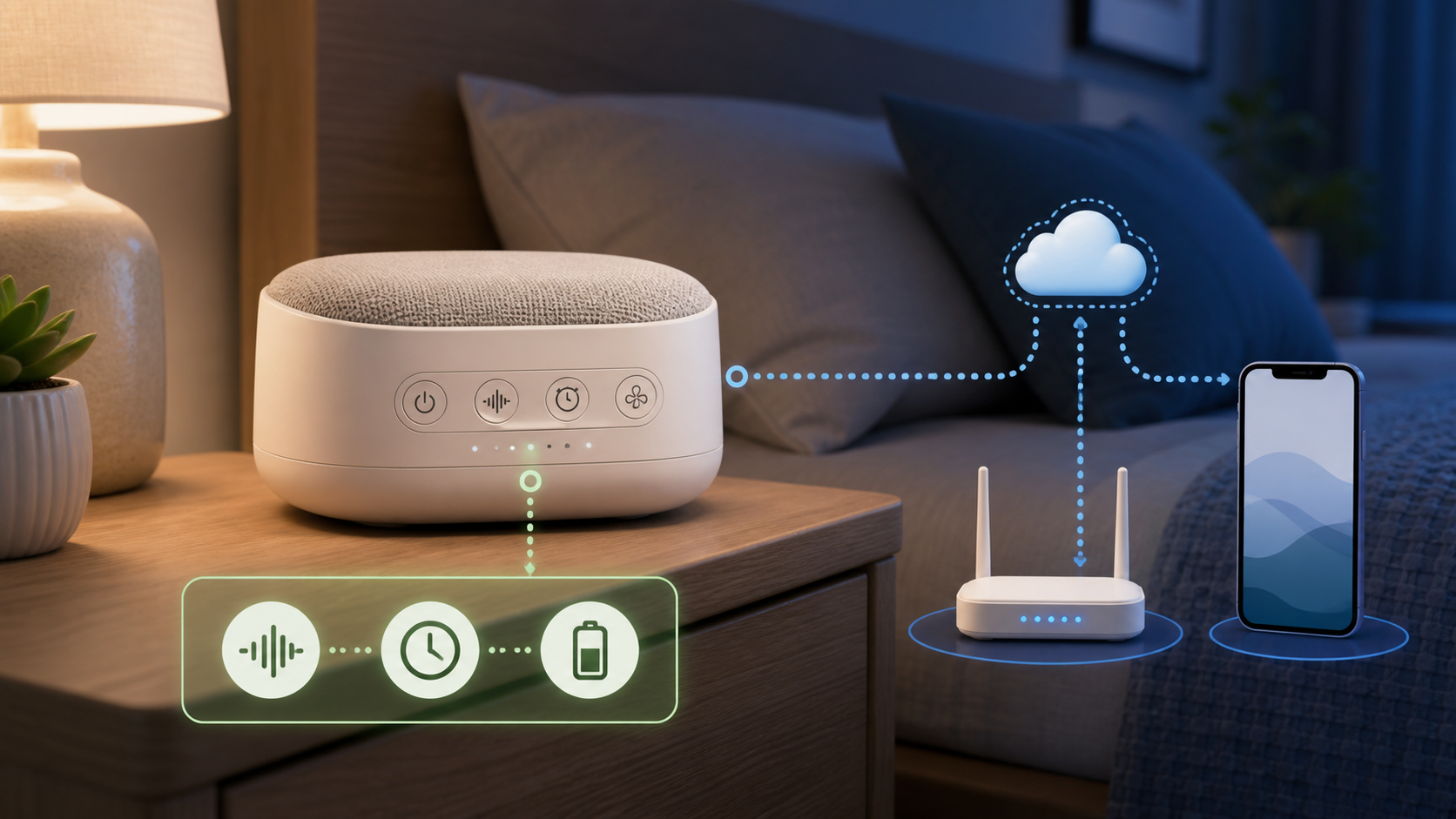
White noise machines at a glance
| Type | Normal sound source | Network role |
|---|---|---|
| Basic plug-in machine | Built-in sounds or a mechanical fan | Usually none |
| Portable rechargeable machine | Built-in sounds | Often none |
| Bluetooth sound machine | Built-in sounds plus phone audio | Bluetooth may be optional; WiFi may be absent |
| App-controlled sound machine | Built-in sounds and app routines | WiFi, Bluetooth or both may be required for setup and control |
| Streaming speaker used for noise | Online service or phone stream | Internet or a local phone connection may be required |
These are design categories, not a guarantee for every product. For one documented offline example, SlumberPod’s SlumberCalm Portable connection FAQ says it has preloaded sounds and no WiFi or Bluetooth capability. That is a connection example, not a recommendation based on our own testing.
What works on a basic offline machine
- Playing sounds stored inside the machine
- Changing volume with physical buttons
- Selecting a built-in timer
- Using a night light when the model includes one
- Remembering the last setting when the product documents memory
- Running from a battery or approved power adapter
The LectroFan Classic manual, for example, describes physical sound, volume and timer buttons. Its USB connection supplies power, not USB audio. It also says settings save when you turn the unit off with its power button, not simply when you unplug it. Check memory and restart behavior rather than assuming all offline models behave alike.
What WiFi can add
- App-based sound, light and volume control
- Custom routines or schedules
- Control from another room or outside the home
- Firmware updates and new features
- Voice-assistant or smart-home integration
- Account sharing across household phones
Some products use WiFi only for advanced features and still play built-in sounds from their buttons. Others depend more heavily on the app. The manual should say what happens when the router is offline, the internet service fails or the account cannot sign in.
WiFi, Bluetooth and internet are different
| Connection | Typical use | Common limit |
|---|---|---|
| No radio | Built-in sounds and buttons | No app or streaming control |
| Bluetooth | Nearby setup, control or phone audio | The phone normally stays within local range |
| Home WiFi | App control and local network access | Setup may require a supported band and password |
| Internet or cloud | Away-from-home control, accounts and updates | Features can stop during a service outage |
A Bluetooth machine does not automatically need internet. A WiFi machine may keep some controls locally while cloud features stop. A speaker that streams a noise track from a phone or online service can stop when the phone, app or connection stops even if the speaker itself still has power.
The LectroFan Micro2+ guide shows separate switch positions for Bluetooth audio and built-in sleep sounds. Bluetooth capability does not mean that the stored sounds must stream from your phone. Conversely, Bluetooth used to set up another product does not prove it can play phone audio like a speaker.
What happens during an outage
- If broadband fails but the router stays on, check whether the selected sound and schedule run without the cloud service.
- If WiFi is unavailable, check which physical buttons remain usable. Do not assume the app switches to Bluetooth automatically.
- If mains power fails, only a model with a charged battery or another approved power source can continue.
- If the phone is unavailable, a self-contained sound source may continue while phone streaming stops.
Home WiFi can remain available when the outside internet connection is down, but many cloud apps still report the device as offline. Router power, outside internet service and the sound machine battery are separate parts of the path.
Battery backup is not an all-night promise. Momcozy’s WN02 battery FAQ gives about four hours and recommends plugged-in use. That is the manufacturer’s estimate for WN02, not our measurement or a runtime claim for other models.
Questions to ask before buying
- Are the sounds stored inside the machine?
- Can sound, volume and timer be controlled without a phone?
- Does setup require WiFi, Bluetooth or both?
- Does the app require an account?
- Which functions stop without internet?
- Can the machine run continuously, or only on a timer?
- Does it resume after a brief power interruption?
- Is a subscription needed for any sound or routine?
- Can another owner remove the old account and set it up again?
Look for the user manual, not only a retailer’s feature list. Product names are reused, and two machines in the same family can have different radios or app requirements.
For travel, check more than the WiFi label
A travel machine is easier to use when its core sounds and controls work offline. Hotel WiFi may require a browser sign-in, isolate devices from one another or limit how many devices can join. An app-controlled machine that needs ordinary home WiFi may be awkward on that network.
- Choose built-in sounds and physical controls.
- Check battery runtime in the exact manual and test it before the trip.
- Use the approved charger and cable.
- Confirm whether the machine can play while charging.
- Download any required app and complete setup before leaving home.
- Do not depend on a phone stream if calls or notifications will interrupt it.
For a simple bedroom, check the buttons
If you want one steady sound every night, a basic machine with clear buttons can be simpler than a connected model. Check whether the controls are easy to find in low light, whether indicator lights can be dimmed and whether the machine remembers the selected sound and volume.
Do not assume a smart model improves the sound itself. Pay for WiFi when routines, remote adjustments or household integrations solve a real need.
For app routines, verify setup and schedule limits
A connected model can be useful when you want different sound and light routines, changes from another room or shared control. Before buying, check the supported phone versions, WiFi band, account policy and what remains available from the machine’s own buttons.
Momcozy’s WN02 app-connection FAQ specifies Tuya Smart, an account, Bluetooth permissions and a 2.4 GHz network. A separate WN02 physical-control guide documents buttons for sound and volume. Having those buttons does not prove that every programmed routine works offline.
Its WN02 app-program guide specifically warns that scheduled wake-up programs will not work if something is wrong with WiFi. That is a useful distinction between ordinary button playback and a schedule. Do not transfer these instructions to WN05, another generation or a different app without checking its own documentation.
Do not buy a new router first
If an app-controlled machine will not set up, confirm the exact model, correct app, supported network and password before replacing the router. Review only the permissions that the official setup instructions require, and stop if they exceed what you are comfortable granting. Do not disable WiFi encryption, remove router security or reset a working shared network to connect one appliance.
If the machine works beside the router but not in the bedroom, compare placement and room coverage. The do I need a new router guide helps distinguish one weak room from a failing main router.
If several rooms need better coverage, compare a coordinated system with a small spot fix. The mesh WiFi versus extender guide explains why extra equipment must sit before the dead zone rather than inside it.
Privacy and account checks
- Use a unique account password and multifactor authentication when offered.
- Review household members who can control routines.
- Check whether the product includes a microphone and how it is used.
- Read the retention policy for account, device and usage data.
- Remove the machine from the account before selling or giving it away.
- Confirm whether the manufacturer can end cloud support while local buttons continue.
An offline model can reduce account and cloud dependence, but it is not automatically better in every other respect. Compare warranty, electrical certification, controls, sound choices and support as well.
Bedroom and nursery safety
- Follow the manufacturer’s placement and volume instructions.
- Keep the machine, cable and small parts out of a child’s reach.
- Do not place a device or charging cable inside a crib.
- Use only an approved power supply and do not cover ventilation openings.
- Stop using a damaged, unusually hot or swollen battery device.
- Ask a health professional about individual hearing, sleep or medical concerns.
This is a connection and controls comparison, not a guide to treating hearing or sleep conditions. WiFi support is not evidence of a health benefit, and this article makes no sleep or medical-outcome promise.
Check offline playback before your trip
Before relying on a machine away from home, try its built-in sound and physical controls without the phone. Check a full timer cycle while you are present. Use the manufacturer’s offline-check procedure to verify the feature you need; do not interrupt updates or a shared network used for safety devices, calls or other household needs.
Write down which sound, timer and routine worked, along with whether the machine was plugged in or running on battery. A brief check is not a battery endurance test or proof that a cloud-dependent schedule will keep working indefinitely.
Sources
Manufacturer FAQs and manuals are linked beside the relevant claims. LectroFan manuals were accessed through the manufacturer’s product-information page. We did not test sound output, sleep effects, battery endurance or product rankings.