
Choose Ethernet if you can run a cable between the rooms. It gives you the most predictable connection and the simplest troubleshooting. If running new cable is impractical but both rooms have connected coax outlets, MoCA is usually the better alternative. Use Powerline when neither option is available and buy from a retailer with a good return policy, because its results depend heavily on the home’s electrical wiring.
This is a research-based home-network buying guide, not a hands-on adapter test. Official information was checked on July 27, 2026. Wiring, splitters, electrical circuits, adapter ports, and other equipment can change the result in a specific home.
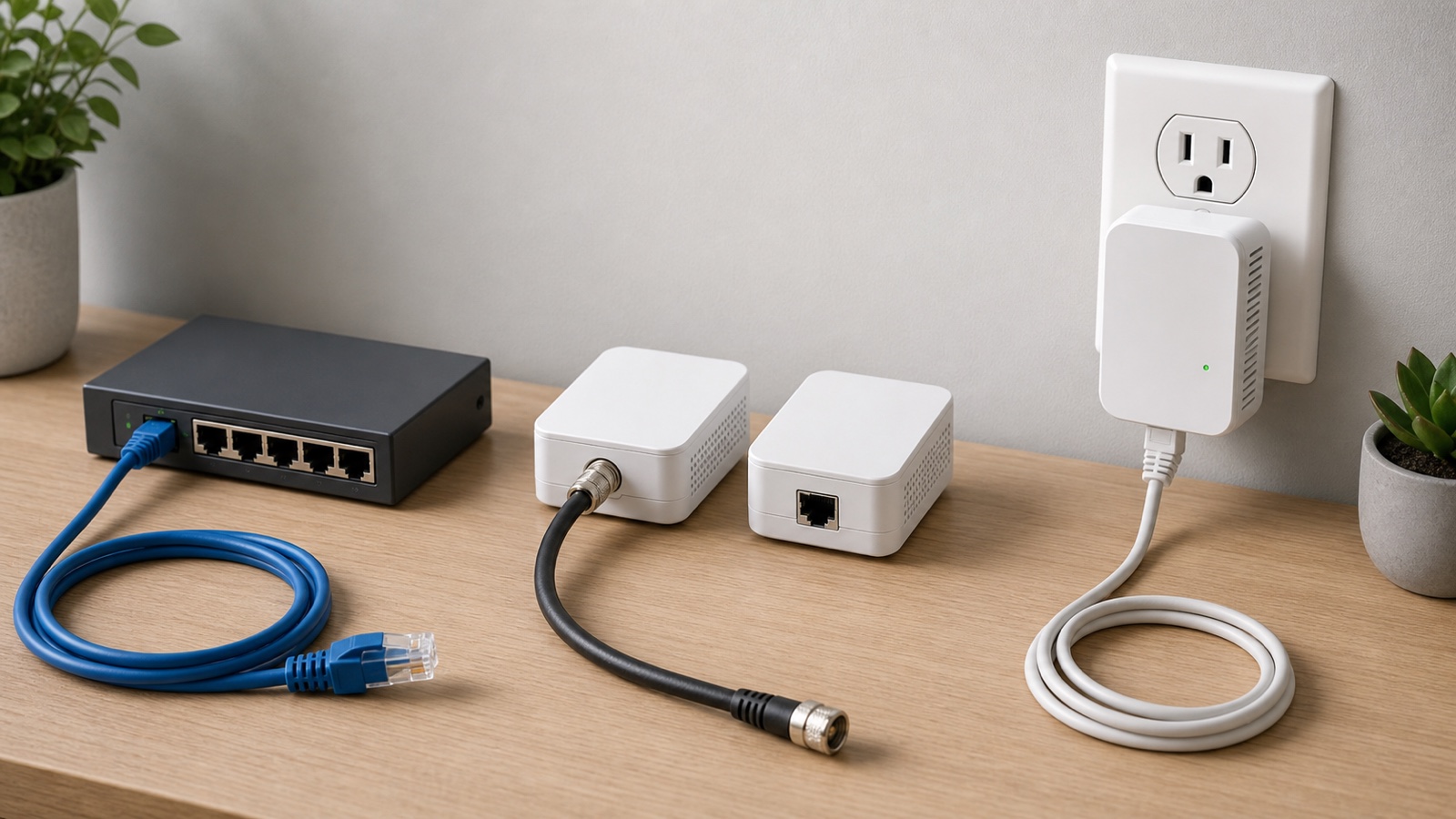
MoCA vs Ethernet vs Powerline: the quick answer
| Option | Uses | Best reason to choose it | Main drawback |
|---|---|---|---|
| Ethernet | Dedicated network cable | You can install or already have Cat cable between the rooms | Running cable through finished walls may require time or professional help |
| MoCA | Existing coax TV cable | Both rooms have suitable coax outlets and new Ethernet is difficult | Splitters, filters, service compatibility, and the coax path must be checked |
| Powerline | Existing electrical wiring | You have no usable Ethernet or coax path and need an easy-to-try kit | Throughput and stability can change with circuits, outlets, and electrical noise |
The order is not based on the largest number printed on an adapter box. It is based on how predictable the connection is after you install it. A direct Ethernet run has the fewest unknowns. MoCA reuses shielded coax that was designed to carry signals. Powerline sends network data through wiring that also supplies appliances and chargers, so the environment varies much more from one home to another.
How the three connections differ
Ethernet is the familiar cable connection between a router, switch, and device. Cisco’s Ethernet overview describes it as the IEEE 802.3 family used to connect devices in wired local networks. In a home, a cable can run directly from the router to a computer or from the router to a switch that serves several devices.
MoCA stands for Multimedia over Coax Alliance. A pair of adapters turns suitable coax outlets into a network path. One adapter connects to a router LAN port and the nearby coax outlet. A second adapter connects the remote coax outlet to a computer, switch, access point, or mesh node. Some gateways already include MoCA, so check before buying two adapters.
Powerline adapters use the electrical wiring between wall outlets. One adapter sits near the router and another sits in the room that needs a connection. A matched kit is the safest purchase. Do not assume products that use different Powerline technologies will join the same network. TP-Link’s Powerline backhaul compatibility guide, for example, says its G.hn and HomePlug AV Deco models cannot form a Powerline backhaul with each other.
Ethernet is the first choice when installation is realistic
Ethernet is the easiest option to plan because you control the cable route and know where each end goes. It is a good fit for a permanent home office, gaming room, media cabinet, access point, or wiring closet. It also makes later troubleshooting straightforward: test the cable, port, and device in a short path.
The installation is the hard part. A visible cable along a baseboard may be acceptable in one room but not across a hallway. Running cable inside a wall can require wall-rated cable, careful separation from electrical wiring, and knowledge of local building rules. Hire a qualified low-voltage installer when the route is uncertain. Do not hide an ordinary patch cable under carpet or place it where people can trip over it.
Plan the endpoints before opening walls. A single run can feed an Ethernet switch sized for the room, which may be cleaner than pulling a separate cable for every television, console, desktop, and streaming box.
MoCA is useful when the home already has coax
MoCA is attractive in homes where coax reaches the right rooms but Ethernet does not. The MoCA Alliance’s MoCA Home 2.5 page lists up to 2.5 Gbps MAC throughput and less than 5 ms latency for the standard. Those are technology specifications, not a promise that every adapter, coax path, or internet connection will deliver the same result.
Check the ports on the adapters. A MoCA 2.5 link can have more capacity than a device receives through a 1 Gbps Ethernet port. The router, adapter Ethernet ports, switch, cable, and client all belong to the same path. The slowest relevant link limits a single connection.
The coax outlets also need to be connected through compatible hardware. Old splitters, disconnected runs, amplifiers, cable boxes, and an existing provider setup can affect the path. ScreenBeam’s MoCA compatibility guidance tells users of its adapters to check for MoCA-compatible splitters and the correct filter when modem or television signals cause trouble.
Before buying, identify what already uses the coax. If it carries cable internet, television, an antenna, or satellite service, check the adapter manual and ask the service provider about compatibility. Do not disconnect an entry cable, replace a splitter, or add a filter at random. The correct layout depends on the frequencies and equipment already present.
Powerline is easy to try but hard to predict
Powerline installation looks simple because the outlets are already there. That convenience is real, but the number printed on the box is not the speed you should expect on a computer. TP-Link’s Powerline rate and actual speed explanation says the advertised rate is a physical-layer maximum rather than user throughput. Its current products typically convert 20 to 30 percent of that rate, with the result depending on the home’s electrical wiring.
That percentage is TP-Link’s guidance for its products, not a universal performance guarantee. An older house is not automatically bad, and a new house is not automatically good. Outlet location, breakers, wiring routes, interference, and the adapter design all matter. The only reliable way to judge a Powerline kit in your home is to test the exact outlets you plan to use.
Plug the adapters directly into wall outlets during the test. TP-Link warns that power strips and extension cords can degrade the signal. It also recommends keeping Powerline equipment away from high-power appliances that introduce electrical noise. Test at different times, including while normal appliances are running, and return the kit if latency or throughput changes too much for the intended task.
Which option is best for gaming, work, and streaming?
| Home task | First choice | Alternative | What to test |
|---|---|---|---|
| Competitive gaming | Ethernet | MoCA when coax is suitable | Latency consistency and packet loss during busy household use |
| Video calls and remote work | Ethernet | MoCA, then a tested Powerline link | Upload stability during long calls and cloud backups |
| Television and streaming box | Any stable wired option | Use the wiring already near the television | Several long streams without pauses or link drops |
| Access point or wired mesh node | Ethernet | MoCA | Speed in the remote room while several devices are active |
| Temporary room setup | Short Ethernet cable when safe | Returnable Powerline kit | Every outlet you may use, not only the closest pair |
Gaming does not require the fastest internet plan in the house, but it benefits from a steady local link. A connection that reports a high download result and then produces latency spikes is a poor gaming link. Test with the same game, server region, and time of day before and after changing the local connection. Do not treat one speed test as proof.
For a mesh system, these wired methods can replace a wireless backhaul between nodes. The Ethernet and wireless backhaul guide explains how the node-to-node link affects the WiFi devices in the remote room. Check the mesh manufacturer’s supported topology before putting an adapter between nodes.
A buying checklist for adapters and cables
- Confirm which wiring reaches both endpoints: Cat cable, connected coax, or wall outlets on a usable electrical path.
- Check the Ethernet port speed on every adapter. A faster link standard does not overcome a slower 100 Mbps or 1 Gbps port.
- Buy a matched pair unless an existing router, gateway, or adapter is documented as compatible.
- For MoCA, list every coax service, splitter, amplifier, and cable box that may share the path.
- For Powerline, choose a kit with a passthrough electrical outlet if losing the wall socket would be a problem. Do not plan to solve that problem with a power strip.
- Check how the adapters pair and whether you can set a private network key.
- Count the remote Ethernet ports you need. Add a switch when several devices share one endpoint.
- Keep the packaging and buy from a seller that allows a real in-home compatibility test.
Set up each option in the right order
Ethernet
- Choose the two endpoints and a safe cable route.
- Connect the router LAN port to the remote device or switch.
- Confirm the negotiated link speed on both ends, then test the actual task.
MoCA
- Confirm that the two coax outlets connect through a compatible path.
- Check the adapter maker’s diagram for splitters, filters, and shared services.
- Connect the router LAN port to the first adapter and the remote adapter to the device or switch.
- Verify the MoCA link indicator before testing throughput and latency.
Powerline
- Connect the first adapter directly to a wall outlet near the router.
- Connect the second adapter directly to the intended remote wall outlet.
- Pair the units and set the security key as instructed by the maker.
- Test the connection while ordinary appliances and chargers are in use.
Common mistakes to avoid
- Do not compare only the advertised link rates. Check adapter Ethernet ports and real throughput in the intended room.
- Do not buy MoCA before confirming that the coax outlets connect and can share the existing services.
- Do not plug Powerline adapters into surge protectors or extension cords when the maker requires a direct wall connection.
- Do not assume every Powerline standard or every MoCA generation will mix cleanly. Check the compatibility list.
- Do not replace a working wired path merely because a newer adapter advertises a larger number.
- Do not buy a faster home link to fix an internet plan that is too slow. Use the home internet speed guide to separate the local-network problem from the broadband plan.
The final choice
Run Ethernet when you can do it safely and neatly. Choose MoCA when useful coax already connects the rooms and the existing services are compatible. Treat Powerline as a home-specific test rather than a guaranteed upgrade. If it works well in the exact outlets you need, keep it. If the result changes with normal electrical use, return it and reconsider the cable or coax route.