
Choose a 5-port Ethernet switch when you need to connect no more than four wired devices and do not expect that number to grow soon. Choose an 8-port switch when you need five to seven device connections, or when a 5-port model would leave no spare port. One switch port normally connects back to your router, so a 5-port switch gives you four usable device ports and an 8-port switch gives you seven.
This is a research-based buying guide, not a hands-on product test. Specifications and vendor documentation were checked on July 27, 2026. Features vary by model, so verify the product page before buying.
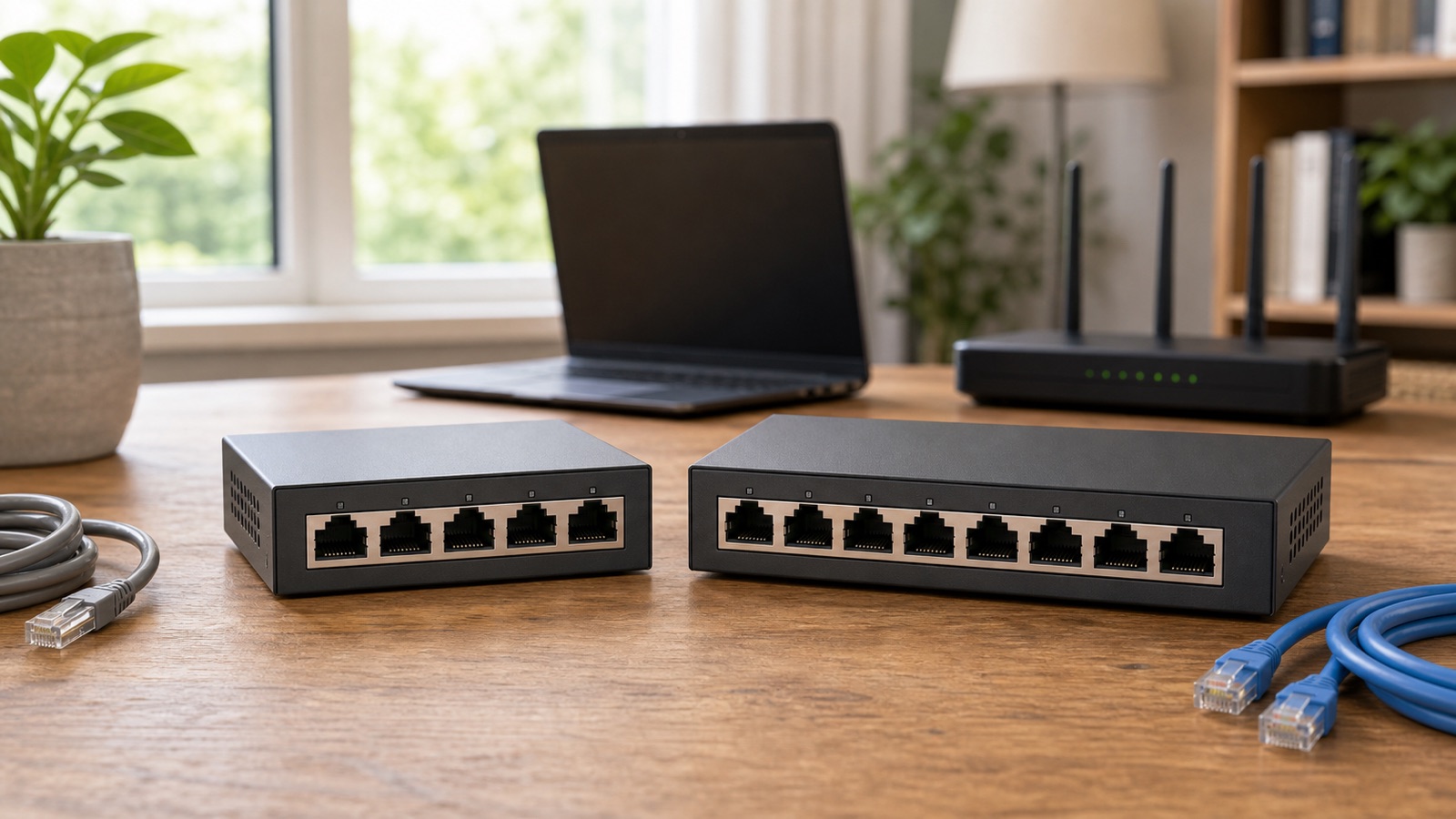
5-port vs 8-port Ethernet switch: the quick answer
| Your setup | Ports used by devices | Switch size to consider | Why |
|---|---|---|---|
| TV and one game console | 2 | 5-port | Two spare device ports remain after the router connection |
| TV, console, streaming box, and mesh node | 4 | 8-port | A 5-port switch would be full on day one |
| Desktop, dock, printer, NAS, and access point | 5 | 8-port | Two device ports remain for later additions |
| Six or seven wired devices | 6 to 7 | 8-port | All devices fit, but seven leaves no spare capacity |
| Eight or more wired devices in one location | 8+ | 16-port or a planned multi-switch layout | Neither small switch has enough usable device ports |
The 8-port model is the safer default for a home office, entertainment center, or wiring cabinet when the price and physical size work for you. The 5-port model still makes sense behind a television or on a small desk where the device list is fixed. Buying unused ports has little value if the switch will always serve only two devices.
Count usable ports, not the number on the box
Start with every device that will use a cable at that location. Include desktop computers, docks, smart TVs, game consoles, network storage, printers, security cameras, wireless access points, and wired mesh nodes. Then add one port for the cable to the router or the rest of the network.
The simple calculation is:
Required switch ports = wired devices + 1 uplink port
A living room with a television, console, and streaming box needs four switch ports after you include the router uplink. Those devices fit on a 5-port switch, leaving one port unused. Add a wired mesh node later and the switch is full. If that addition is likely, buying eight ports now avoids replacing the switch or adding another power adapter.
Do not count the router’s WAN port as a place for a local device. The WAN port connects toward the modem or ONT. If those boxes are still easy to confuse, the modem, router, and ONT guide shows where the switch belongs in a typical home network.
An 8-port switch is not faster just because it has more ports
Port count and link speed are separate specifications. A basic 5-port Gigabit switch and an 8-port Gigabit switch can provide the same maximum link rate to each connected device. The larger switch adds connection capacity, not a speed boost for a single computer.
Representative models make the point. TP-Link lists both the TL-SG105 5-port switch and the TL-SG108 8-port switch with 10/100/1000 Mbps auto-negotiating ports, fanless operation, and plug-and-play setup. These examples do not make either model a universal recommendation. They show why you must compare speed and features separately from the number of sockets.
A switch also does not multiply your internet plan. Several devices can exchange data through it at the same time, but traffic going online still shares the router’s internet connection. Use the home internet speed guide if the bottleneck may be the broadband plan rather than the number of Ethernet ports.
Choose Gigabit or 2.5GbE before choosing the port count
| Port speed | Good fit | Check before paying more |
|---|---|---|
| 10/100 Mbps Fast Ethernet | Old or very low-bandwidth equipment | It can cap modern wired devices at 100 Mbps, so avoid it for a general home switch |
| 1 Gbps Gigabit Ethernet | Most televisions, consoles, PCs, printers, and Gigabit internet plans | The router, device, and cable must also support Gigabit |
| 2.5GbE | Multi-gig internet, fast network storage, newer desktops, or high-speed access points | Every link in the path needs compatible hardware to exceed 1 Gbps |
Gigabit is the sensible baseline for most homes. A 2.5GbE switch is useful when you can name the faster devices and transfers that will use it. TP-Link’s current 5-port 2.5GbE example is marketed for multi-gig internet, network storage, workstations, and faster wireless access points. Paying for 2.5GbE will not help a television with a 100 Mbps port or a laptop dock limited to Gigabit.
Check the wired ports on a new router as well. A WiFi upgrade can include faster wireless links while some LAN ports remain at 1 Gbps. The WiFi 7 upgrade checklist explains when multi-gig ports matter in the rest of the network.
Most homes need an unmanaged switch
An unmanaged switch is designed for basic connectivity. Connect power, attach the uplink cable, and plug in the devices. Cisco’s guide to network switch types describes unmanaged models as plug-and-play equipment commonly used in home networks or wherever only a few ports are needed.
A managed or smart switch is useful when you intend to configure features such as virtual LANs, traffic controls, or port monitoring. Those features can help a more complex network, but they also add setup work. Do not buy a managed switch for an ordinary TV cabinet merely because the product page has a longer feature list.
Decide whether any device needs PoE
Power over Ethernet, usually shortened to PoE, sends power and data through the same Ethernet cable. It can power compatible security cameras, access points, and other devices without a separate outlet near each one. Cisco notes that PoE switches cost more, so identify the devices that need power before choosing that version.
Count PoE ports separately from total ports. An 8-port switch may provide PoE on every port, only some ports, or none. Also compare the switch’s total power budget with the maximum power needs of the connected devices. Eight physical ports do not guarantee enough power for eight cameras or access points.
One 8-port switch or two 5-port switches?
| Layout | Advantages | Tradeoffs |
|---|---|---|
| One 8-port switch | One power adapter, fewer cables between switches, and easier troubleshooting | All device cables must reach the same location |
| Two 5-port switches in different rooms | Shorter device cables and a switch near each cluster of equipment | Two power outlets and one port on each switch are used for the connection between them |
| Two small switches beside each other | Can reuse hardware you already own | More clutter and fewer usable ports than a single larger switch with the same total port count |
Two small switches are reasonable when wired devices sit in separate rooms and an Ethernet run already connects those areas. For a single desk or media cabinet, one 8-port switch is usually cleaner. If the switches will support wired mesh nodes, review the Ethernet backhaul guide before deciding where each cable should terminate.
A practical switch shopping checklist
- Count current wired devices and add one port for the uplink.
- Add one or two spare device ports only when you can name a likely addition.
- Choose Gigabit as the normal minimum. Buy 2.5GbE only when the router and important clients support it.
- Choose unmanaged for basic home connectivity. Buy management features for a specific configuration task.
- Check PoE port count, standards, and total power budget if you will power cameras or access points.
- Measure the shelf or wall space, including room for Ethernet plugs and the power connector.
- Prefer fanless operation in a bedroom, office, or entertainment center where noise matters.
- Confirm whether the power adapter is external and whether the switch can be wall mounted if placement is tight.
Common buying mistakes
- Do not expect five device connections from a 5-port switch. The router uplink normally uses one port.
- A Fast Ethernet switch can become the slowest link for modern wired devices, even if it saves a small amount at checkout.
- Eight ports do not make the internet faster. Compare per-port speed and the broadband connection instead.
- Check where the cables enter. Front-facing and rear-facing ports need different shelf clearance.
- Do not count only total PoE ports. The power budget can run out before the physical ports do.
- Avoid filling the switch on its first day. An 8-port model is easier to justify when a 5-port switch would have no spare connection.
Questions people ask before buying
Does it matter which port I use?
On a basic unmanaged switch with identical auto-negotiating ports, you can normally use any port for the router uplink. Follow the manual when a model labels a port for a special purpose, such as a higher speed, PoE input, or a dedicated uplink.
Does a switch split the internet speed?
Connected devices share the internet connection whenever they go online at the same time. The switch does not divide the plan into fixed equal pieces. Local and internet traffic varies by device, and the slowest relevant link can limit a transfer.
Can I connect a switch to a mesh WiFi node?
Many mesh systems allow wired clients or Ethernet backhaul through a node, but port roles and supported layouts vary. Check the mesh manufacturer’s instructions before connecting the switch, especially when a node has only one or two Ethernet sockets.
The final size decision
Buy the 5-port switch for one to three wired devices, or four devices when the list is truly fixed. Buy the 8-port switch for four to six devices, for any setup likely to grow, or when you need several PoE connections. If you already need seven device ports, consider whether a 16-port switch would give the wiring cabinet more useful room than an 8-port model that starts full.