
Yes, USB tethering can use your hotspot allowance. When your phone shares cellular internet with a computer, the cable changes how the devices connect, not the carrier’s data rules. Do not assume an unlimited phone plan makes USB tethering unlimited too. Check the hotspot or tethering allowance for your specific line.
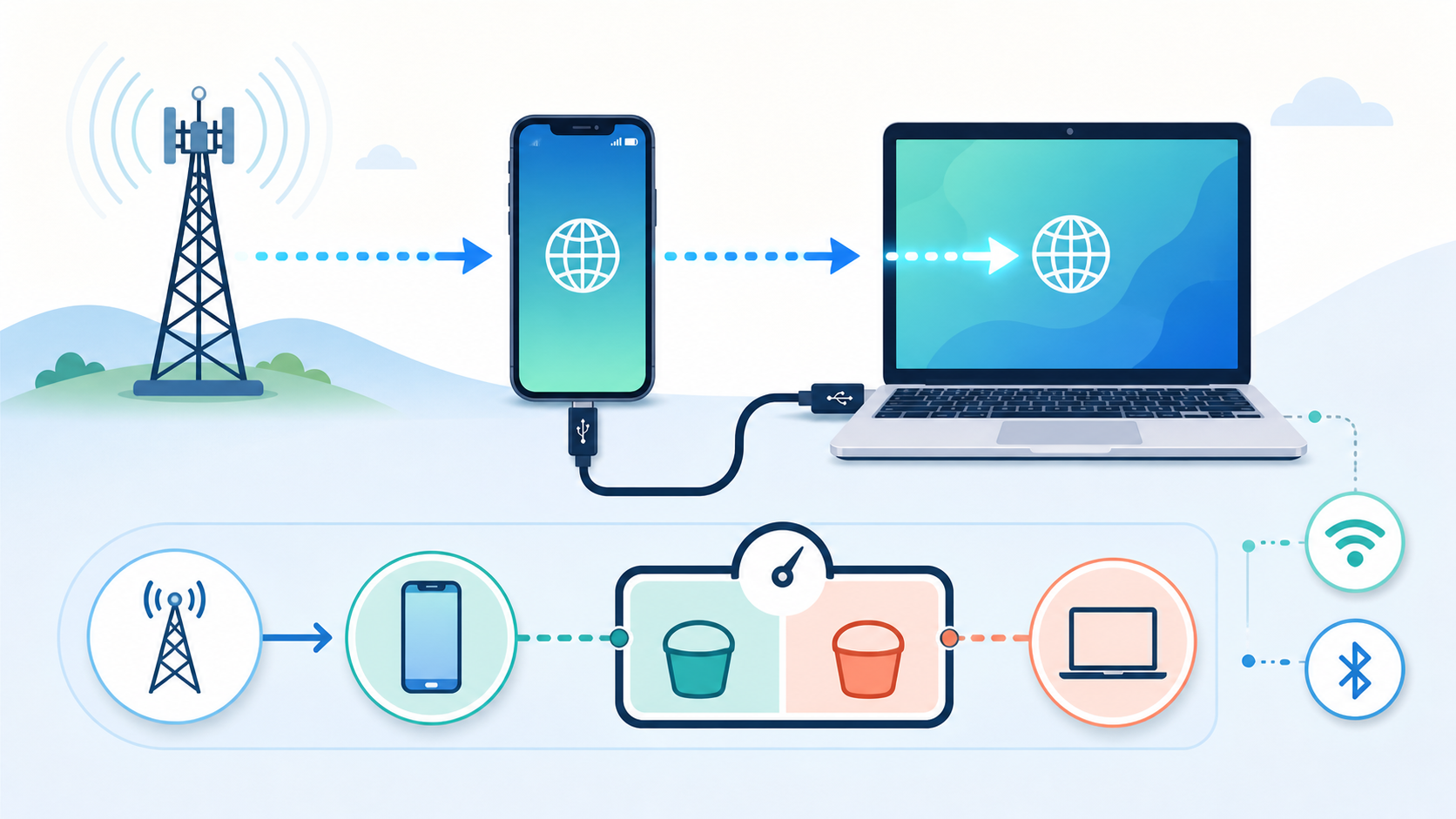
Why a USB cable still counts as tethering
Tethering means sharing a phone’s internet connection with another device. The connection between them can be USB, Wi-Fi or Bluetooth. The computer’s downloads still need an internet source; a cable does not provide a separate data plan.
Google’s Pixel tethering guide describes these sharing methods and warns that carriers may limit tethering or charge extra. T-Mobile’s hotspot and tethering instructions explicitly include USB as an alternative to Wi-Fi. They also explain that the high-speed allowance depends on the plan. The presence of a USB option on the phone does not establish what your subscription includes.
| Connection you use | What supplies the internet? | What to verify |
|---|---|---|
| USB from a phone using cellular data | The phone’s mobile plan | Whether tethering is included and which allowance applies |
| Wi-Fi hotspot from that phone | The phone’s mobile plan | The same line’s hotspot terms, not the Wi-Fi label alone |
| iPhone Personal Hotspot over USB | The iPhone’s cellular connection | Carrier Personal Hotspot support and allowance |
| Supported Android phone sharing existing Wi-Fi | The Wi-Fi network, if the phone actually shares it | Device support and whether cellular fallback is still active |
What to check in your U.S. phone plan
Look beyond the word “unlimited.” A plan may include a limited amount of high-speed hotspot data, allow slower tethering afterward, or require a feature that your line does not have. These are separate questions from how much data you can use directly on the phone.
For example, Verizon’s mobile hotspot FAQ directs customers to their plan’s allowance and explains that included high-speed hotspot data can give way to lower speeds. That does not establish the rules for another Verizon plan, a prepaid line or another carrier. Ask about your exact plan name and version.
- Does this line permit USB tethering, and is there an extra recurring charge?
- Does tethered traffic share the phone’s data allowance or have a separate high-speed threshold?
- What happens after that threshold: slower service, a cutoff or an optional paid add-on?
- When does the allowance reset, and do domestic rules change while roaming?
Use the written plan details before starting a large download. If comparing replacement plans, our Google Fi versus Visible comparison separates phone data, hotspot limits and travel conditions. A USB connection alone should not determine which plan you buy.
Check usage without burning through your allowance
A small check can help you understand the account display, but it does not override the carrier’s terms. Do not run repeated speed tests or download a large game just to see which meter moves.
- Record the line, billing dates, remaining phone data and any hotspot total. Save a screenshot before connecting.
- Pause unnecessary computer downloads. For this cellular-only check, disconnect the computer from its other internet connections and turn the phone’s Wi-Fi off.
- Connect by USB and load a small page or download one small file of known size. Disconnect when finished.
- Check the carrier’s meter after it has updated. If the totals are unclear, ask support which counter includes USB tethering rather than repeating increasingly large downloads.
T-Mobile’s instructions put the usage check under Usage > Data in the online account, with a line selected for details. Other carriers use different displays. A hotspot total can also be part of overall usage; do not automatically add two displayed figures together and call it double billing. An unchanged counter immediately after the check is not proof of free data.
Can USB tethering share Wi-Fi instead of mobile data?
On iPhone, Personal Hotspot shares cellular internet. Apple’s current iPhone sharing guide says you cannot connect the iPhone to Wi-Fi and pass that Wi-Fi network through Personal Hotspot. With two SIMs, it uses the line selected for cellular data.
Google documents Wi-Fi sharing on Pixel 3 and later, but other Android phones vary. Check your device’s instructions. If testing with mobile data off, also disconnect the computer’s other internet connections. Successful browsing demonstrates a working noncellular path for that setup, not an exemption from carrier limits.
If both devices can join trusted home Wi-Fi directly, that is usually the simpler arrangement. Our phone hotspot versus home internet guide covers the difference between occasional tethering and supplying a household connection.
Set up the connection your devices support
On Pixel, connect the cable, open Settings > Network & internet > Hotspot & tethering and enable USB tethering. Other Android menus differ. Google notes that its documented Android USB method does not support Macs; check compatibility before relying on it.
For iPhone, Apple’s USB Personal Hotspot instructions say to enable Allow Others to Join, connect the cable, and respond to the accessory or computer-trust prompt when appropriate. Windows needs Apple Devices or iTunes installed. Use a computer you control rather than approving a trust prompt on an unfamiliar machine.
Apple also warns that a computer may reconnect when you plug the phone in to charge while Personal Hotspot remains enabled. Unplug or switch Personal Hotspot off when you finish. A charging cable attached to a computer is therefore worth checking when unexplained data use starts.
Keep laptop downloads from using up the data
Before connecting, inspect cloud backups, game launchers and pending downloads. A laptop can transfer files you did not intend to start during a short tethering session. Pause nonessential transfers through their normal controls and resume necessary updates on a suitable connection.
Microsoft’s metered-connection guide explains how Windows can reduce some background traffic. In Windows 11, if the USB connection appears under Ethernet, open Settings > Network & internet > Ethernet, select that connection and enable Metered connection. Apply it to the tethered connection, not an unrelated home network.
Metered mode is not a carrier-enforced cap. Some apps behave differently, some updates wait, and your active downloads can still use data. If the option belongs to an employer-managed computer and cannot be changed, ask IT. Do not disable security controls or system updates to make tethering work.
If the connection is slow after the hotspot threshold, check the plan’s reduced-speed rule before replacing cables. If there is no internet at all, first confirm that the phone itself has service and the plan permits sharing. Changing from Wi-Fi to USB does not restore an exhausted allowance or buy an add-on.