
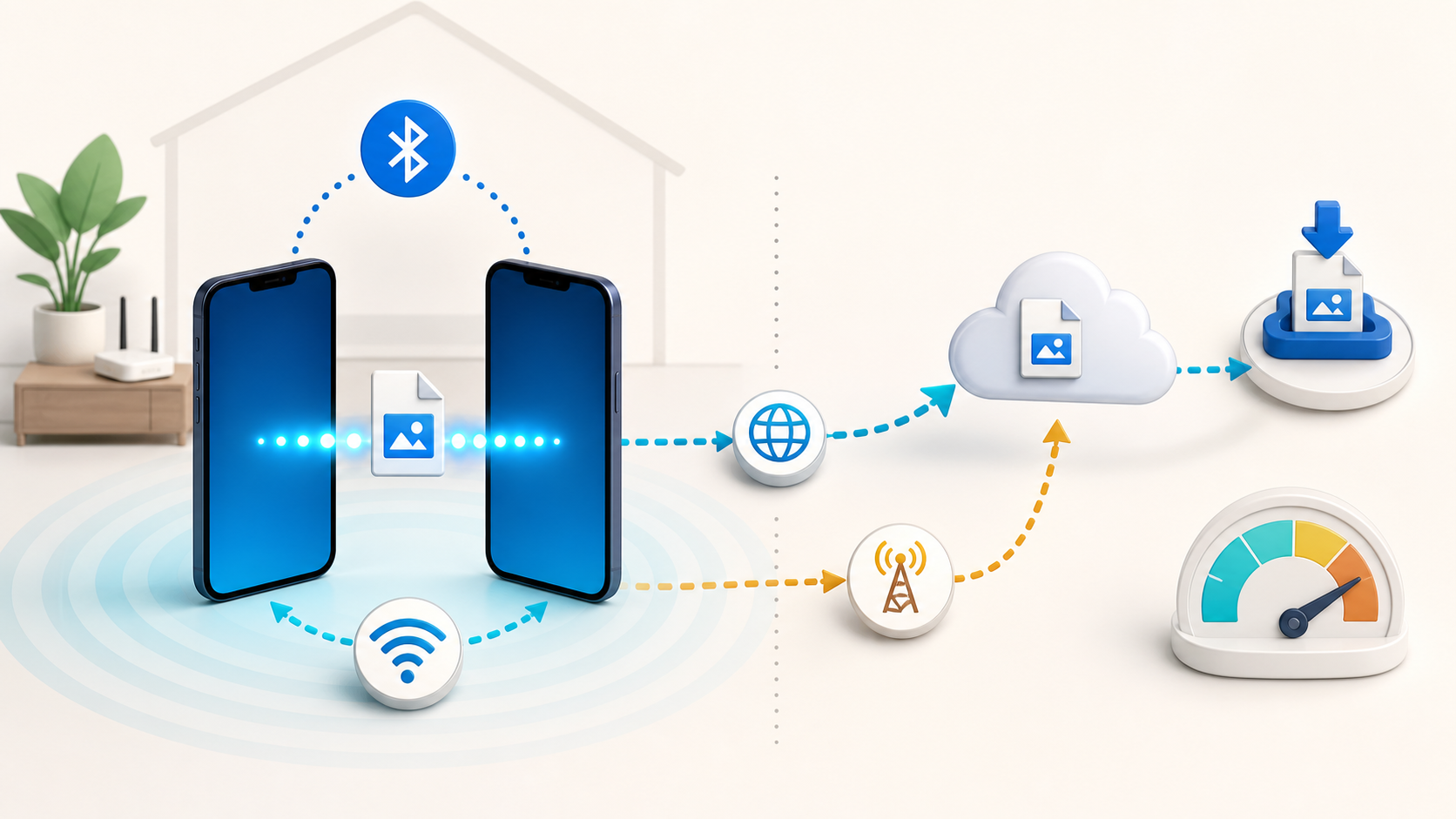
Nearby AirDrop transfers use a direct Wi-Fi connection between devices, not your mobile-data allowance. But a transfer can continue over the internet after you move apart, and that can use cellular data. To avoid that part of the cost, turn off Use Cellular Data in Settings, General, AirDrop.
A separate download can also use data before sharing begins. A photo visible in your library is not necessarily stored on your phone in full. Check the transfer path and the source file before concluding that AirDrop itself used your allowance. This guide follows Apple’s documentation checked November 10, 2026, rather than a hands-on data-usage test.
Nearby AirDrop needs Wi-Fi on, not a Wi-Fi plan
Apple’s AirDrop security guide describes Bluetooth discovery and direct device-to-device Wi-Fi. That nearby link does not require an internet connection or a wireless access point. You do not have to join a hotel network, buy an airline Wi-Fi pass or put both phones on the same home network just to send a local file to someone beside you.
Turning Wi-Fi on and connecting to the internet are different actions. AirDrop needs the radio even when the nearby file does not pass through your router. Buying faster broadband will not change a direct transfer into an internet transfer.
Stop cellular continuation before sharing a large file
Apple’s current AirDrop guide explains that an already-started transfer can continue online outside Bluetooth or Wi-Fi range. It also provides a separate cellular switch:
- Open Settings on your iPhone.
- Tap General, then AirDrop.
- Turn off Use Cellular Data.
- Keep the devices together until the transfer finishes.
That switch controls AirDrop’s cellular use, not every app’s data use. It is worth checking before travel, especially on a limited allowance. Do not walk away midway through a large transfer and assume that a local start guarantees a local finish.
Apple’s AirDrop privacy notice says an internet transfer may pass through Apple servers and remains end-to-end encrypted. Encryption protects the contents; it does not make an internet transfer free of network charges.
An iCloud photo can need a download first
With Optimize Storage, iCloud Photos can keep a smaller version on the phone while the full-resolution original stays in iCloud. Apple’s iCloud Photos instructions say originals can download over Wi-Fi or cellular. That download is separate from the nearby AirDrop link.
For a large video, prepare it while you have a trusted Wi-Fi connection and allow any required download to finish before sharing. If you are trying to investigate data use, choose a small file you know is already stored locally. Otherwise you are checking the cloud download and AirDrop together, which makes the result harder to interpret.
A code request is not a request to buy data
Apple’s iPhone and iPad sharing instructions describe how a recipient who has not saved the sender in Contacts can approve a transfer with a code when both devices run iOS 26.2 or later. The recipient chooses Get AirDrop Code and tells the sender what to enter. That is part of approving the exchange, not proof that a paid internet service is necessary.
For a recipient who does not appear, first check that both devices are nearby with Bluetooth and Wi-Fi on. Apple also says to disconnect Personal Hotspot. The recipient may need Everyone for 10 Minutes. These are better first checks than buying data or changing the router. Android sharing has its own requirements; see the separate Quick Share to iPhone guide.
Check the phone counter, then your carrier’s meter
To investigate an unexpected increase, open Settings, Cellular and review app usage and System Services. Apple’s cellular-data instructions explain those counters and recommend contacting your carrier for the most accurate usage information. On Dual SIM, make sure you are looking at the selected data line.
- Record the readings before sharing a small local file. Do not reset useful statistics just to run this check.
- Keep other downloads and streaming idle, leave AirDrop cellular use off and keep both devices nearby.
- Compare readings afterward, but do not attribute every changed byte to AirDrop. Other phone activity can still use data.
Your carrier’s meter answers the billing question; a single counter comparison is not a laboratory measurement. If you are deciding whether to buy a bigger plan, review ordinary internet activities too. Our Netflix mobile-data guide explains streaming controls separately. Do not pay for more data solely because a nearby AirDrop transfer is slow.