
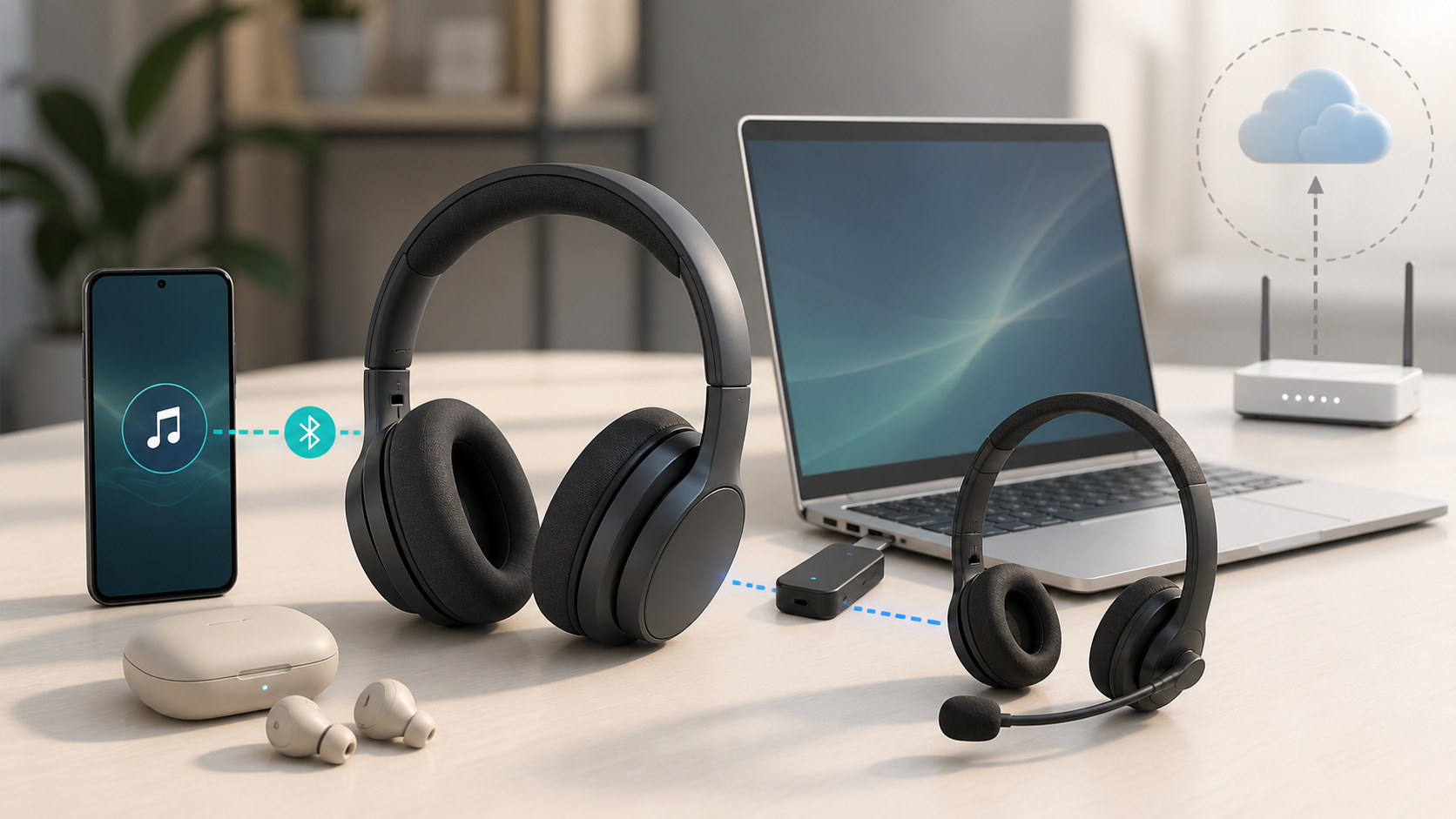
Most wireless headphones do not need WiFi to play sound. Bluetooth headphones connect directly to a nearby phone, tablet, computer or compatible television. Some gaming headsets use a USB transmitter instead. Your phone or app still needs internet for streaming, online calls, downloads and some setup or account checks. Downloaded audio can play offline when the app allows it.
Separate the headphone link from the audio source
The headphones need a way to receive sound. The source device may also need a way to fetch that sound. Those are separate connections. A phone can download music through WiFi, store it, then send it to headphones later over Bluetooth. The headphones never need the home-network password in that path.
| Use | Headphone connection | Internet requirement |
|---|---|---|
| Downloaded music on a phone | Bluetooth | No during playback, if the app permits offline listening |
| Online music or video | Bluetooth | Yes, on the phone through WiFi or mobile data |
| Compatible gaming headset | Dedicated USB transmitter | The audio link is local; the game or service may need internet |
| Compatible television headphones | Bluetooth | Depends on whether the TV program or app needs internet |
| Video call | Bluetooth or USB transmitter | Yes for the call service |
| Supported wired backup | Audio or USB cable | The cable does not provide internet to the audio source |
Bluetooth headphones work without a router
Google and Apple both document pairing Bluetooth accessories directly from a phone’s Bluetooth settings. Put the headphones in pairing mode, choose them on the phone and follow any model-specific prompt. A WiFi network does not appear in that basic connection. Keep both devices charged and nearby for the first pairing.
Some conveniences may use an account or app during setup. Google’s Fast Pair can associate supported accessories with a Google Account, and manufacturer apps may download settings or firmware. Those extras do not turn ordinary Bluetooth audio into WiFi audio. Use the manual Bluetooth menu if the supported device allows it.
Do check the connection mode, though. Sonos notes that some wireless headphones also support WiFi. A WiFi-specific feature is different from ordinary Bluetooth playback. Read your model’s manual rather than assuming that every feature described as wireless will work without a network.
What you can listen to offline
Locally stored songs, podcast episodes, audiobook chapters, voice recordings and saved video files can play without an active internet connection. The playback app must support the file or its own offline mode. Subscription services may require a completed download and occasional account verification. For example, Spotify’s offline listening instructions say you must go online at least once every 30 days to keep downloads. Music downloads require Premium; the free version supports podcast downloads.
Test before travel while you are safely stationary and do not need a call or navigation connection. Download one item, enable airplane mode, turn Bluetooth back on if the phone disabled it and press play. Make sure WiFi remains off for this test. If the item opens and the headphones stay connected, that downloaded item works offline in the current app state. Repeat for each app you plan to use; this is not a promise that subscriptions or downloads will remain valid indefinitely.
Why streaming still uses data
Bluetooth carries audio from the phone to the headphones, but it does not fetch the song. An online app downloads the stream over home WiFi or mobile data. Turning off WiFi may make the phone switch to cellular service without an obvious interruption. The headphones still show Bluetooth connected while the phone uses your mobile allowance.
Check per-app mobile-data settings if usage matters. Download media over trusted WiFi and confirm that each item is complete. The guide to what unlimited internet can mean explains why some plans still have hotspot, congestion or fair-use limits.
Calls need a service even when the headphones do not
The microphone and speakers can connect locally by Bluetooth while the call travels through cellular voice service or an internet calling app. If a call drops, check the phone’s cellular or internet connection separately. Re-pairing working headphones will not repair a weak mobile signal or an online meeting outage.
Gaming headsets may use a USB transmitter
Some wireless gaming headsets use a small USB transmitter connected to a console or computer. For example, Sony’s PlayStation Link compatibility guide describes compatible PULSE headsets and earbuds connecting through a PS Link USB adapter or supported built-in connection. This is a separate audio link, not a reason to enter your home WiFi password into the headset. The game may still need internet for online play, account checks, cloud saves, updates or voice chat.
Check compatibility with the exact console, computer and port. A headset can be wireless without supporting ordinary Bluetooth. Some console models restrict Bluetooth audio or require a licensed transmitter. Do not buy by connector shape alone.
Wireless TV headphones can be different
A compatible television may send audio directly over Bluetooth. Other headphone kits require their own transmitter or base. Before buying one, check the exact television audio output and the kit’s supported input in both manuals. A USB socket or a wireless label alone does not prove compatibility.
The television program may still come from an online streaming app. Antenna broadcasts, a cable or satellite box, discs and local game consoles can supply audio when home internet is down. Check lip-sync adjustment and audio-output compatibility in the TV and headset manuals.
What happens during a home internet outage
Bluetooth pairing should remain available because the local radio link does not pass through the router. Downloaded audio and local files can keep playing. Online streaming and video calls stop unless the source device has another internet connection, such as cellular data.
If Bluetooth also fails, move the headphones near the source, restart both devices and check the selected audio output. A new router rarely fixes headphones that cannot connect to any phone or computer. Use the new-router decision guide only when several home-network devices have trouble too.
Can you use wireless headphones on a plane?
The headphones can work without onboard WiFi when the airline permits Bluetooth and the source device has downloaded media. Follow crew instructions and the airline’s device rules. If the seatback screen has only a headphone jack, you may need wired headphones or a permitted Bluetooth transmitter. Compatibility varies by aircraft and entertainment system.
Privacy on shared devices
A previously paired headset may reconnect to a family tablet, work laptop or television when that device wakes. Check the active audio output before a private call. Remove the headphones from devices you no longer use, and clear saved pairings before selling or giving them away.
Questions to ask before buying
- Does the headset use Bluetooth, a USB transmitter or a dedicated base?
- Is it compatible with your exact phone, TV, console or computer?
- Can it play through a cable when the battery is empty?
- Does multipoint work with the source devices you own?
- Which controls work without the maker’s app or account?
- Can firmware be updated without creating a new paid subscription?
- Does the case or headset have enough charging options for travel?
- Can you disable automatic switching if shared devices cause surprises?
A quick offline test
- Choose a safe time when you do not need calls or navigation, then charge the source device and headphones.
- Pair them through the normal Bluetooth menu.
- Download one audio item completely in an app that supports offline playback.
- Enable airplane mode, keep WiFi off and re-enable Bluetooth if needed. On a plane, do this only as permitted by the airline and crew.
- Play the downloaded item and lock the screen.
- Try the controls you need, such as pause and volume. Restore your normal connections after the test.
If downloaded audio plays but an online stream fails, leave the working Bluetooth pairing alone and check the source device’s internet connection. If neither plays, check charge, pairing and the selected audio output first. That comparison helps you choose which connection to troubleshoot.
This guide explains connection types using the official documentation below. It is not a hands-on test of every headphone, television or app. Setup requirements, supported ports and offline playback rules vary by model and service.