
Smart glasses do not all need home WiFi, but many need a compatible phone and internet access for setup, AI answers, calls, sharing, updates, or cloud services. The glasses may use Bluetooth for daily phone control and a temporary WiFi link for faster media transfers.
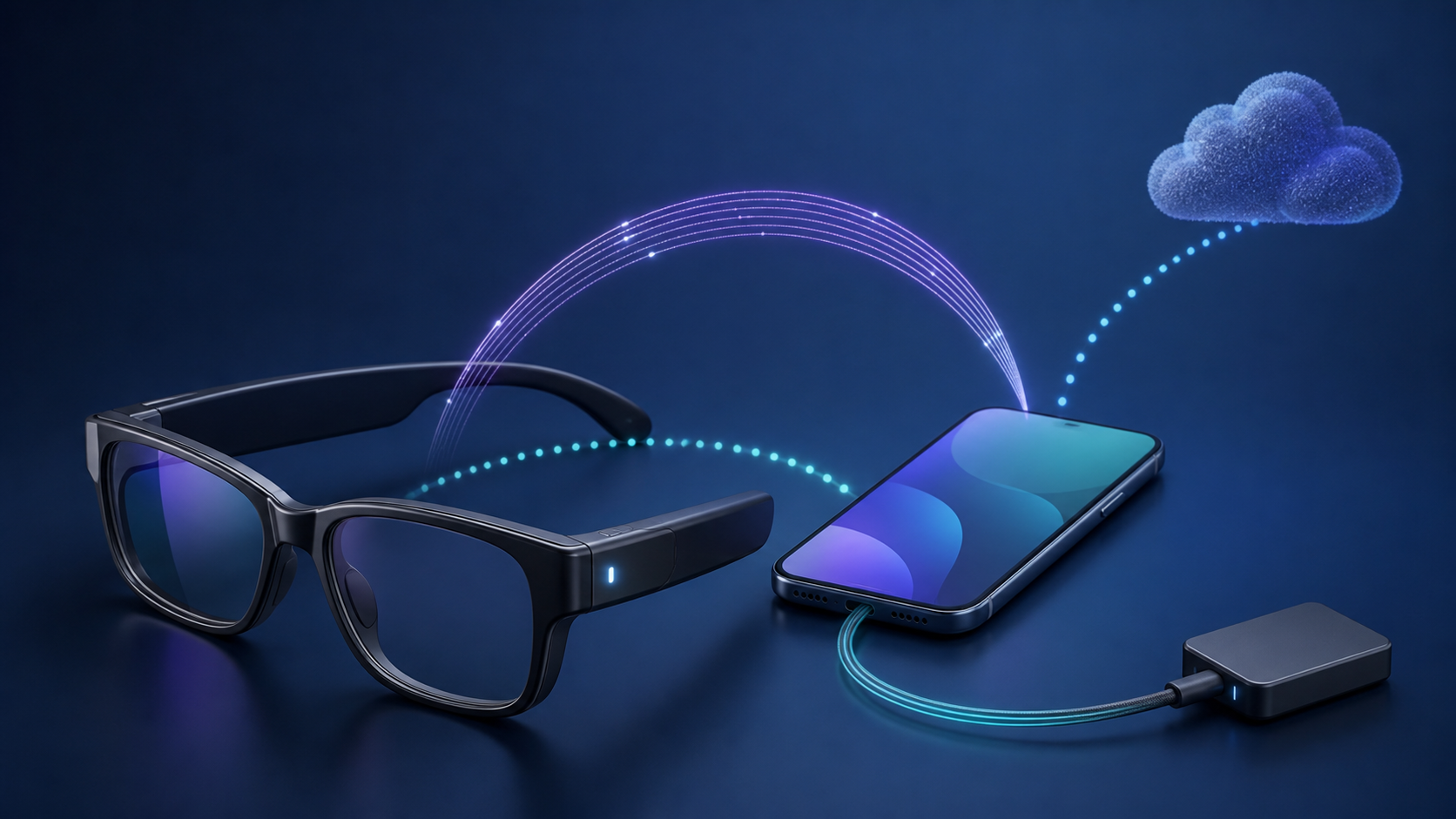
Before buying, separate four connections: glasses to phone, phone to internet, glasses to temporary WiFi, and any wired display input. A feature can work on one link while another is unavailable.
| What you want to do | Connection to check | What to confirm before buying |
|---|---|---|
| Listen to downloaded phone audio | Bluetooth to a compatible phone | The glasses support phone audio and the content plays offline. |
| Ask an online AI service a question | Phone or glasses internet access | The feature is supported for your model, account and country. |
| Import camera captures | The model’s transfer link, sometimes temporary WiFi | A direct glasses-to-phone link is different from home internet. |
| Use glasses as a wired screen | Compatible video output, cable and any required adapter | A USB-C socket alone does not prove video compatibility. |
This guide uses manufacturer documentation rather than hands-on tests. The examples are product specific. Check your model generation, companion-app requirements and country before relying on an offline feature.
Smart glasses are several product categories
- Audio glasses play phone sound and handle calls.
- Camera glasses capture photos or video.
- AI glasses send questions, images, or audio to an online service.
- Display glasses show content from a phone, computer, or dedicated adapter.
- Standalone or work glasses may run apps and join networks directly.
The label smart glasses does not identify the connection method. Check the exact model and the job you want it to perform. A pair designed for Bluetooth audio has different network needs from camera glasses or a head-worn display.
Bluetooth often handles the phone link
Many consumer glasses pair with a phone through Bluetooth. That link can carry controls, notifications, call audio, music, or small amounts of device information, depending on the model. Bluetooth does not itself use your home WiFi or mobile data.
The phone app may use internet after the Bluetooth exchange. If other devices work and only the glasses setup fails, do not replace the home router first. The router replacement checklist explains which test results actually point to the router.
The phone may supply the internet connection
A pair of glasses does not need to join the home router directly if its companion app can reach the service through the phone. The phone might use home WiFi, workplace WiFi, or mobile data. AI requests, current information, messaging, livestreaming, and cloud backup often depend on that online path.
Meta’s current smart-glasses overview describes Bluetooth and WiFi support for keeping its glasses connected with a phone and companion app. That is one current product family, not a rule for every pair of glasses.
Some glasses create temporary WiFi
Camera glasses may create their own short-range WiFi network so the phone can import large photos, videos, or firmware faster than Bluetooth. This is a direct device-to-phone link. It does not mean the glasses receive internet service from a router.
The current Ray-Ban Meta FAQ separates normal app internet access from a temporary glasses WiFi network used during capture imports and firmware updates. Other models may transfer files by cable, removable storage, Bluetooth, or a different app.
Wired display glasses can be a different case
Some display glasses act more like an external monitor. A cable or adapter carries video from a phone, handheld game system, or computer. Local video can work without WiFi when the source device, cable, adapter, and content all support that use.
Streaming content still requires internet at the source device unless it was downloaded earlier and remains available for offline playback. XREAL’s One series connection guide requires compatible DisplayPort video output for a direct USB-C connection. A USB-C socket alone is not enough. Check the exact source device, cable and any adapter against the manufacturer’s compatibility guidance.
What may work offline
- Playing audio already stored on a connected phone may work over Bluetooth.
- Viewing content already stored on a wired source may work on display glasses.
- Taking a photo or video may work until local storage fills.
- Basic controls and battery checks may remain available.
These are product-dependent possibilities, not promises. Ray-Ban’s current FAQ says its covered glasses can still capture photos and video, check battery status under stated conditions, and play audio from a Bluetooth-connected phone while disconnected from the companion app. Confirm the equivalent support statement for the exact model you plan to buy.
What usually waits for internet
Online AI responses, current weather, web search, cloud translation, remote sharing, account sync, messaging, livestreams, and software downloads need a working online service in many current designs. The phone may provide that service even when the glasses do not join the router themselves.
Ask whether an offline feature runs on the glasses, the phone, or the company’s servers. A marketing page may call a function built in even when part of the work happens online.
Phone distance matters even with strong WiFi
Strong home WiFi does not repair a weak Bluetooth link between glasses and phone. Keep the phone within the manufacturer’s normal placement guidance and avoid burying it behind several barriers during a test.
Meta’s AI glasses Bluetooth troubleshooting recommends moving closer to the phone and keeping it in front of you or in a front pocket. Identify which radio link is failing before changing the router. Keep any required VPN or security controls in place and ask support for a test that fits your setup.
Setup can need more than the daily feature
A feature that later works offline may still require a supported phone, companion app, account, internet access, and firmware update during setup. Check the supported operating systems, app-store region, account age requirements, and whether the glasses can move to a new phone without erasing local captures.
Complete setup and updates on a trusted network before travel. Do not rely on hotel WiFi for first-time pairing because browser sign-in portals and device isolation can interfere with apps and temporary device networks.
A phone without cellular service may still work
A compatible phone without an active cellular plan can often pair over Bluetooth and use WiFi for the companion app. It loses online features when it leaves WiFi coverage unless another approved hotspot supplies internet.
An older spare phone is useful only while its operating system, Bluetooth hardware, app store, and companion app remain supported. Check the current requirements instead of assuming that any Bluetooth phone will work.
Hotspots solve only the internet part
A phone hotspot can give another device internet, but it does not replace an unsupported companion phone or wired video output. Some apps also have trouble when the same phone must run the hotspot and maintain another direct wireless link.
Test the exact arrangement before a trip. Watch mobile-data use during photo uploads, livestreams, updates, or cloud AI sessions, and check roaming terms before using those features abroad. An unlimited data plan can still have hotspot limits, so read the phone plan separately.
Privacy depends on more than WiFi
Camera and microphone glasses can collect information about the wearer and nearby people. Review capture indicators, storage location, cloud processing, voice-history controls, account deletion, data export, and sharing defaults. A disconnected WiFi icon does not prove that nothing is being recorded locally.
Use a unique account password and stronger sign-in protection when offered. Before selling or lending the glasses, import anything you want to keep, then follow the official unpairing and reset instructions. A reset may erase local captures.
Use glasses safely in public
Do not read notifications, watch video, or operate distracting controls while driving, cycling, or crossing traffic. Follow the product’s safety guide and local rules for recording, calls, displays, and wearable devices.
Ask before recording in homes, workplaces, schools, clinics, and private events. A visible capture light helps only when people understand what it means.
Run a return-period connection test
- Pair and update the glasses on a trusted connection.
- Test the main feature with phone WiFi and mobile data on.
- Turn off internet while leaving Bluetooth connected.
- Check which controls, audio, captures, or display functions remain.
- Move the phone out of Bluetooth range and test again.
- Reconnect and confirm that stored data transfers to the intended account.
Use ordinary sample media and avoid recording other people during the test. The result should match your commute, workplace, travel, and phone habits before the return window closes.
Questions to ask before buying
- Does the model use Bluetooth, direct WiFi, home WiFi, a cable, or several links?
- Which phone models and operating systems are supported?
- Which features work with no internet?
- How are photos, video, and updates transferred?
- What happens when the phone is out of range?
- Which features depend on the manufacturer’s cloud?
- Can you export and delete account data?
- What does a factory reset erase?
- Will prescription lenses, adapters, or a separate controller add cost?
- Does the return policy cover fit, display comfort, and connection problems?
Keep the results of your offline test alongside the model’s support page. If a feature you need stops working when the phone loses internet, that limit matters more than a general claim that the glasses work offline.