
The best place for a router in an apartment is usually an open, central spot at about desk height, not inside a cabinet or at the far end of the home. Start there, then test the rooms where you actually use WiFi. A small move can help more than buying a faster plan when the problem is coverage.
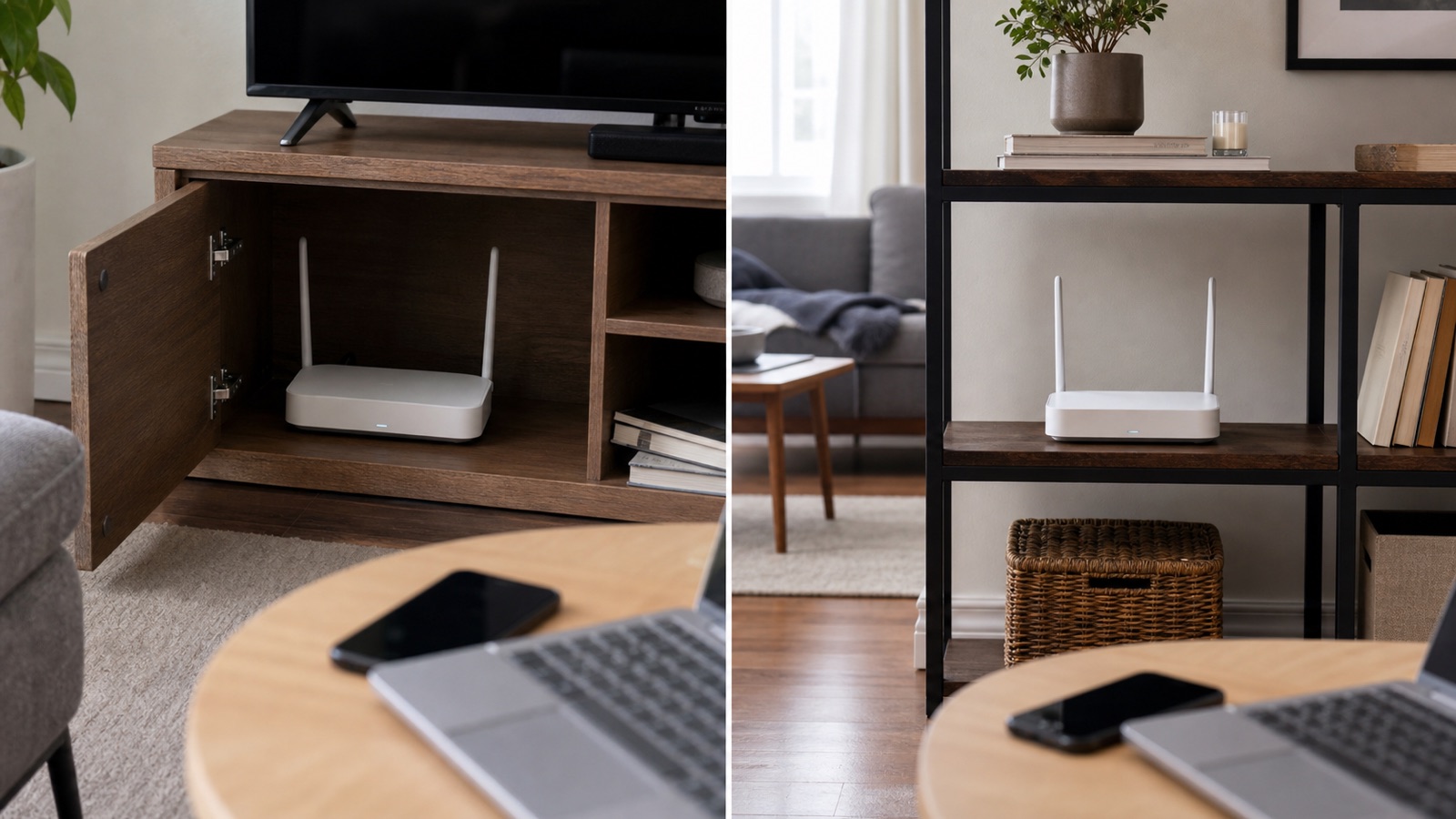
1. Start near the middle of the apartment
Place the router as close as practical to the center of the rooms that need WiFi. If it sits in a bedroom at one end of the apartment, the opposite rooms have to use a longer path through walls. A central location gives the signal a shorter route to more devices.
2. Keep it in the open
Use a shelf, desk, or wall mount with space around the router. Avoid closed cabinets, drawers, and piles of books. Metal, thick furniture, and enclosed spaces can weaken or block radio signals. Keep the status lights and ventilation openings visible so you can spot a problem and prevent heat from building up.
3. Raise it above the floor
A shelf around waist or desk height is a useful starting point. Do not hide the router behind a sofa or on the floor. The floor and nearby furniture can absorb or obstruct part of the signal, especially in a small apartment with several obstacles close together.
4. Give the router a clear path to busy rooms
Think about where you stream, work, or make calls. A clear path toward the living room or home office is more useful than a perfect-looking location near the internet outlet. Keep the router away from large metal objects, thick concrete columns, and appliances that may add interference.
5. Keep it away from the kitchen and crowded electronics
Do not place the router beside a microwave, on top of a refrigerator, or behind a television packed with cables. These locations add physical blockage and can make troubleshooting harder. A nearby shelf or side table is often a better choice.
6. Test before you buy an extender
Walk through the apartment with the same phone and check the rooms where the connection matters. Test once close to the router, then test the weak room at the same time of day. If the weak spot is only one room away, moving the router may solve it. If the signal is weak across several separated rooms, compare an extender with a mesh system using our mesh WiFi versus WiFi extender guide.
7. Check the wired path too
Keep the router close enough to the modem, ONT, or wall network jack for a short, tidy cable run. Do not coil a long cable tightly around the router. If the apartment has a fixed internet outlet in a poor location, ask the provider or building manager whether another outlet is active before buying new hardware.
A quick placement checklist
| Check | Good starting point |
|---|---|
| Height | Open shelf or desk height |
| Position | Near the center of the rooms you use |
| Obstacles | Clear of cabinets, metal, thick furniture, and appliances |
| Testing | Compare the weak room with the same device and task |
Google’s WiFi placement guidance also recommends thinking about home size, construction, layout, and where the network is used. After moving the router, reconnect a device and repeat the same room-to-room test. If every room remains weak, first check whether you need a different access point or a service diagnosis. If only one device struggles, use the device troubleshooting steps instead of changing the whole network.