
Starlink can work in an apartment if you can set up the antenna safely in a suitable outdoor location, get enough sky view and provide power and any required cable route. A balcony may qualify, but the slab above it and neighboring buildings can restrict the view. Check the actual position before buying; neither a smaller Mini nor a more expensive plan removes a building obstruction.
This guide is for U.S. apartment residents and renters, using official information checked November 4, 2026 (UTC+8). It is a buying and placement checklist, not a hands-on balcony test, an installation design or a ruling on a particular lease.
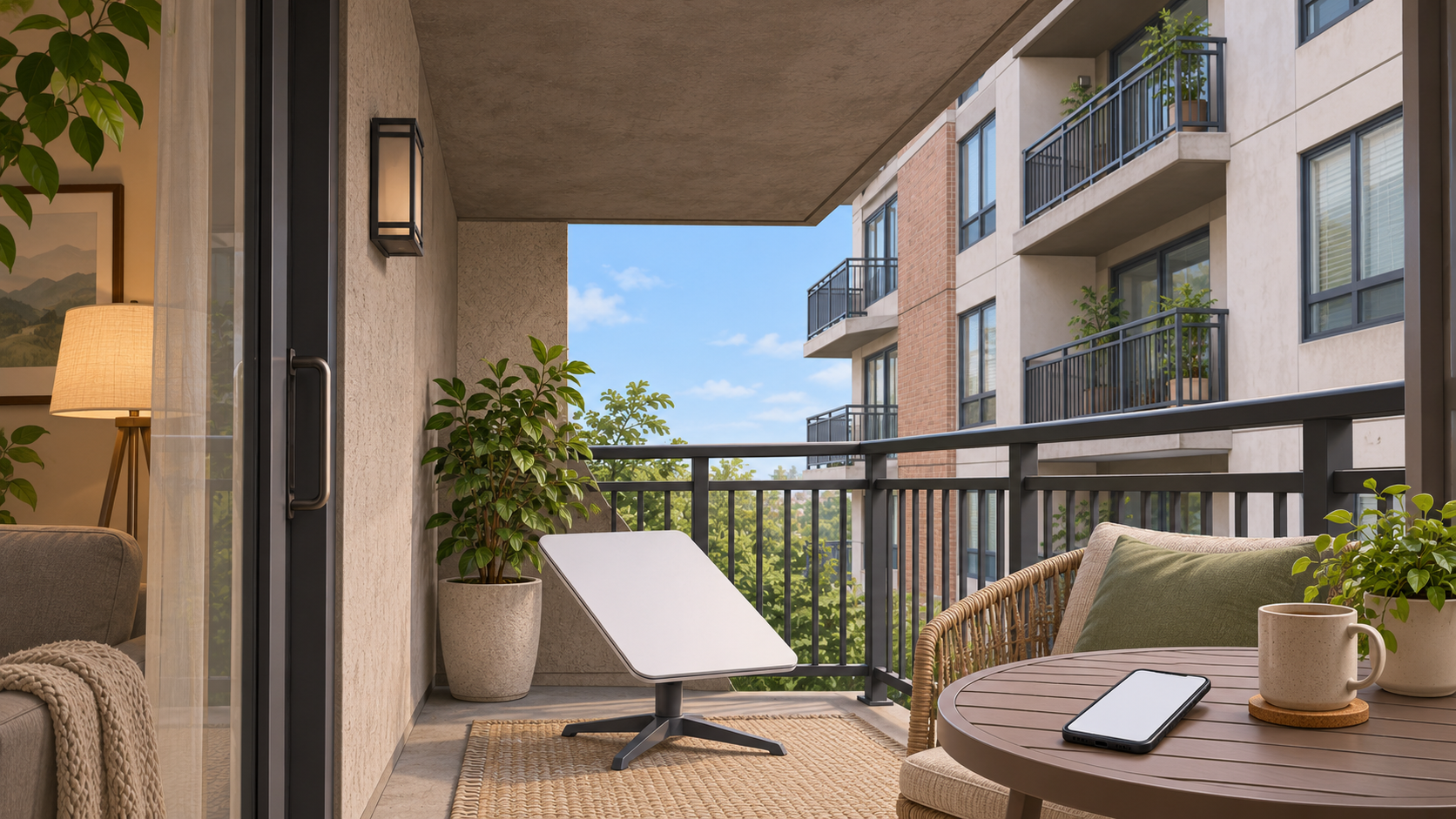
Will a balcony have enough sky?
Start with the view from the antenna, not the view from your sofa. An open-looking balcony can still sit under a concrete ceiling or face a nearby tower. Starlink’s current obstruction-map guidance says the system can switch between satellites around obstacles, but a blockage that stays in its field of view can still cause intermittent outages and lower speeds.
| Possible location | What to investigate | Buying implication |
|---|---|---|
| Open balcony or private patio | Actual sky view, permitted mounting space and a safe power route. | A candidate to assess, not an automatic yes. |
| Recessed balcony beneath other floors | The slab above, side walls and nearby buildings. | Do the app check before buying mounting hardware. |
| Shared roof | Permission to use it, qualified access, mounting and the complete cable route. | Do not assume roof access comes with the apartment. |
| Inside a window | The limited view through the frame, wall and surrounding structure. | Do not base a purchase on an unverified indoor-window setup. |
| No usable outdoor position | Whether another service can meet your needs without an antenna. | Compare alternatives before spending on Starlink. |
A partly obstructed view is not proof that every task will fail. It also is not proof that video calls will remain steady. Treat suitability as a question to check for the activities you need, rather than promising uninterrupted service from a photograph of the balcony.
Check the actual position before ordering
Starlink’s residential installation guide directs users to the app to find an installation location with a clear sky view. Use this planning sequence:
- Identify the positions that are genuinely available to you, including any limits on shared areas.
- Use the install-location or obstruction tool in the current Starlink app and follow its prompts for your hardware.
- Assess the intended antenna position and height, rather than a convenient spot several feet away inside the room.
- Compare other safe positions if the result is poor, then work out whether an appropriate mount and cable route are feasible.
Keep both feet on a stable surface. Do not lean over a railing, climb furniture or enter an unauthorized roof area to complete a scan. If the proposed position cannot be assessed safely, use a qualified installer instead of extending yourself or the antenna beyond the balcony.
The planning tool is not a substitute for an operating connection. Once online, the antenna builds its own obstruction map from satellite connections. Starlink says it detects most obstructions in less than a day and updates the map over time. Review actual interruptions as well as an initial connection or a single speed result.
Mini changes the WiFi layout, not the building blockage
A Mini may be easier to fit in the space you have, but it still communicates with satellites. Its size does not let it see through the floor above your balcony. Do not choose Mini solely because someone else’s window experiment worked.
The Mini specification sheet lists integrated WiFi and an Ethernet port. That changes the indoor-network plan: the WiFi source may be outside with the antenna, rather than a separate router already sitting in your living room. Test the rooms you use, especially behind exterior walls or closed doors. A compatible indoor router or other network arrangement may help room coverage, but it cannot remove a sky obstruction.
Our Mini versus Standard comparison covers the separate hardware choice. Check the exact kit and accessories rather than applying one generation’s cable, power or router instructions to every model.
An exclusive-use balcony is different from a shared roof
In the U.S., a blanket statement that every renter needs a landlord’s prior approval is too broad. The FCC’s OTARD antenna-rule guide describes protections for qualifying antennas in areas under the resident’s exclusive use or control, such as some private balconies. It says prior-approval requirements are generally prohibited for covered installations, with exceptions including legitimate safety and historic-preservation restrictions.
That does not grant access to common areas. The FCC distinguishes shared roofs and exterior walls, and installations extending beyond a balcony or requiring drilling through a common exterior wall. Check the actual space and proposed work. If management disputes a restriction or the installation would affect shared property, seek appropriate local or FCC guidance before proceeding. This article does not determine whether a particular antenna or installation qualifies.
Plan power and cables without improvising
Trace the route from the antenna to power and, where your setup requires it, to indoor networking equipment. Check the connector size, approved cable options and the weather requirements of every component. Do not crush a cable in a door, leave it across a shared walkway or assume an indoor power accessory belongs outdoors.
Starlink’s cable-routing safety guide warns about electrical wiring and water lines when drilling and advises professional help when the work is outside your abilities. That document includes older rectangular-kit instructions; use your exact kit’s current manual for model-specific installation details. Do not copy a hole size, mounting angle or cable limit from another generation.
Check service eligibility and the complete bill
Use the U.S. service-plan page and the actual apartment service address to check the options offered. A plan’s availability is separate from whether your balcony is a good mounting position. Buying a travel plan does not create roof access or improve a blocked view.
Before ordering, record the equipment price or rental obligation, shipping, taxes and required accessories. Add any mounting, cable-routing and installer costs, then the recurring service payment. Check introductory conditions, renewal charges, cancellation or return terms and whether moving to another address changes availability. This guide does not assume a single nationwide hardware offer.
Our Residential versus Roam comparison explains the home-and-travel plan choice. For an apartment that will use the connection in one place, start with the plans available for that address rather than automatically paying for travel features.
Test the connection where you will use it
After a safe setup, compare a device near the WiFi source with the same device in the room where you work. If the nearby connection works but the bedroom connection struggles, investigate indoor WiFi placement. If both lose internet together, inspect the Starlink app’s connection alerts and interruption history before buying extra mesh equipment.
Try the activities that matter to you, such as a video call, before relying on the setup for a deadline. Review the actual trial or return window that applies to your purchase. A fast download during one short test does not establish reliable service throughout the day.
If there is no safe, usable antenna position, compare fiber, cable or fixed wireless at the address. Our apartment internet checklist helps compare installation limits and household needs. The right result may be choosing a service that fits the building rather than forcing a satellite installation into it.